📱 Multi-device players
👤 For: Game Masters · 💳 Plan: All plans · 🔄 Updated 2026-10-17
A common scene at the table: one player wants their phone for dice and whispers and their tablet for the scene image. Wovenkeep supports that — they just join twice, with a slightly different name for the second device. Every push reaches every device that is connected under a name.
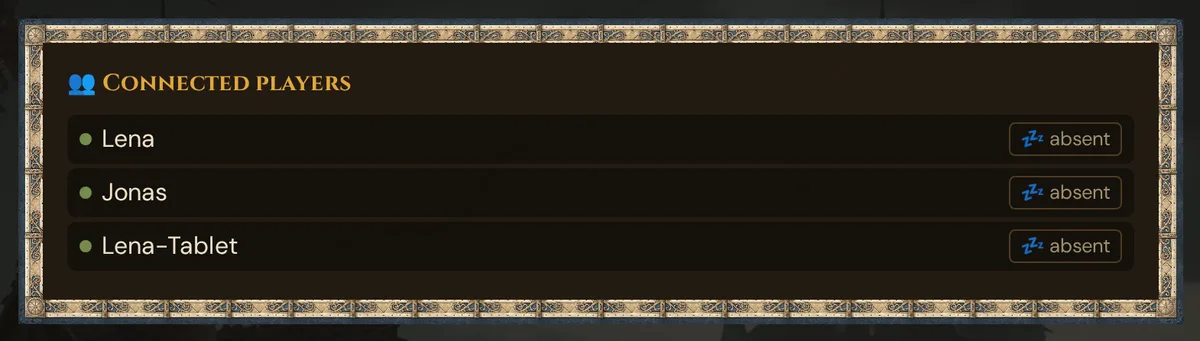
What it does
Each connection joins the session under a name. That name is the player's identity: scenes, whispers, items, handouts and sounds are addressed to a name, and every device connected under that name receives them. If you rename a player in 📋 Prep → Players (see Renaming a player), their items and handouts move to the new name — the player then joins under the new name.
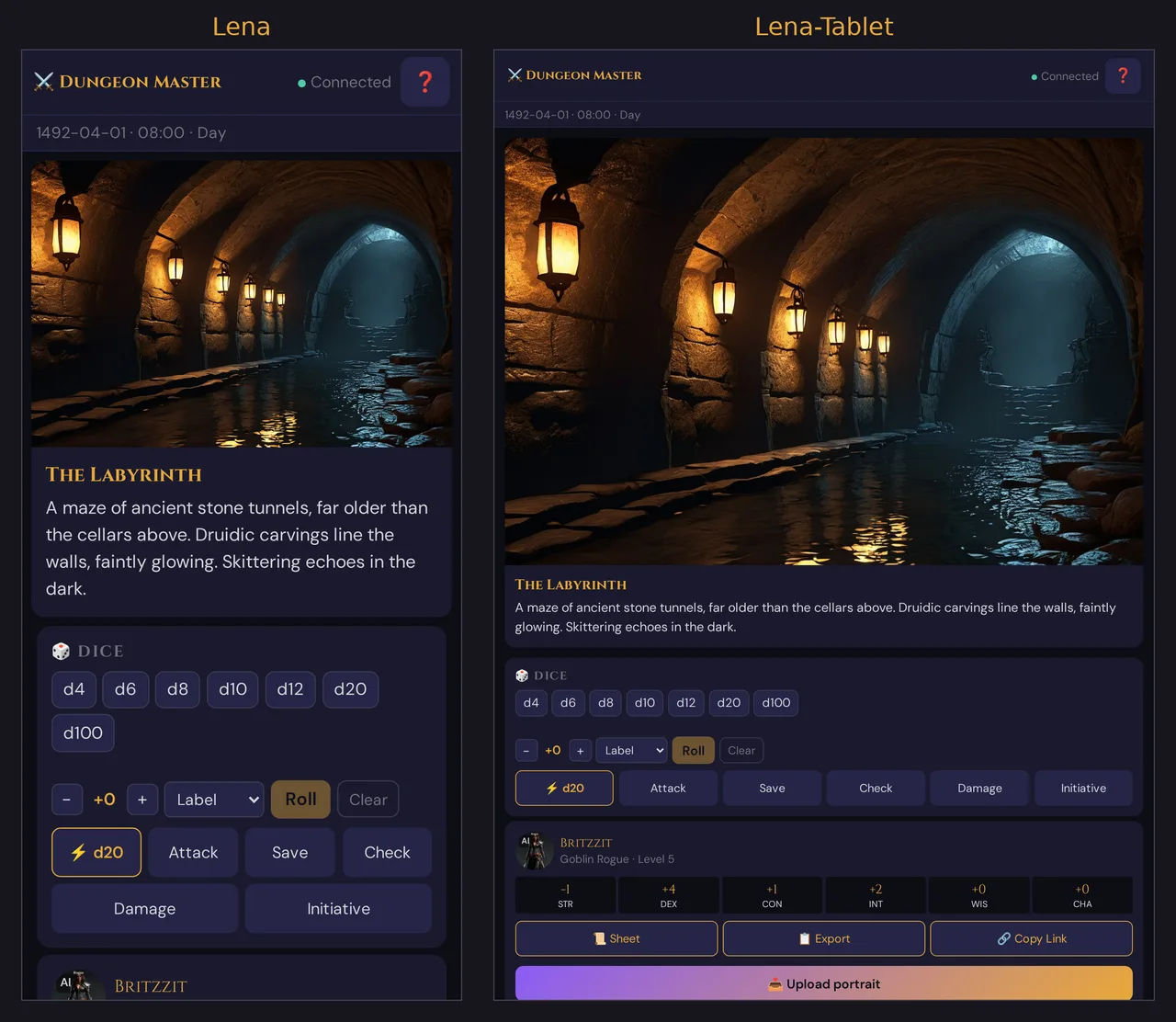
To use two devices, a player joins each device under its own name — for example Lena on the phone and Lena-Tablet on the tablet. Wovenkeep treats each as its own connected player, so each shows up in the Players list and each can be targeted individually or together.
💡 Tip: Reusing the exact same name on a second device does not work — the second join is rejected (see Troubleshooting). Always give the second device a distinct name like
Name-TabletorName-2.
When to use it
- A player wants dice on their phone and the scene art on a bigger tablet screen.
- A remote player on a computer also keeps their phone handy when they step away.
- One player wants a backup connection on a second network in case the first drops.
- Two people sharing one character want to split who watches what.
📺 A shared screen for the whole table? For a TV or projector that everyone watches, use the TV view instead of a second player device — it needs no name and takes no player seat.
Step by step
The player joins each device separately:
- First device — scan the GM's QR code (or open the join link), type a name (e.g. Lena), tap Join, then tap the start screen once (the audio gate).
- Second device — open the same QR code / join link again, type a different name (e.g. Lena-Tablet), tap Join, then tap the start screen.
- Both connections now appear in the GM's Players list as separate entries.
- To push to both of Lena's screens, target both names (for whispers/sound) or push to ALL.
What the player sees
The player view has the same four tabs on every device — 🎬 Scene, 📦 Inventory, 📜 Documents, 🔨 Crafting — so the second device is a full client, not a mirror. Each device shows whatever was pushed to its name.
The device-count badge
When the same name reconnects from a fresh connection (for example after a network drop and rejoin), Wovenkeep may briefly hold more than one socket for that name. While that is the case, the Players panel under Live shows a small grey count next to the name:
● Lena          (2 devices)
● Lena-Tablet
● Jonas
The (N devices) label only appears while a name holds more than one live connection — it is a plain text count, not a per-device-type icon. Most of the time you will see distinct names instead, one row each.
What targets which devices
| Push type | Reaches |
|---|---|
| Scene | All connected players (every name) |
| Sound — untargeted | All connected players |
| Sound — targeted to a name | That name only |
| Whisper to a name | That name only |
| Item give to a name | That name (item appears in their Inventory tab) |
| Handout to a name | That name only |
| Handout to ALL | All connected players |
| Push-check | One row per name (see below) |
For your mental model as GM: the name is the addressee. A player on two devices has two names, so to reach both you target both names — or push to everyone.
Push-check (health ping)
The Push-Check tool in the GM topbar pings every connected name and reports one row each:
✓ Lena            42 ms
🔇 Lena-Tablet     no audio     ← audio gate not unlocked on the tablet
⏳ Jonas           …            ← no answer yet
- ✓ with latency in ms — connected, audio working
- 🔇 no audio — connected, but that device hasn't unlocked its audio gate
- ⏳ — still waiting for an answer
- ✗ no ACK — no response
Because each device joins under its own name, each gets its own row — so you can tell Lena exactly which screen to tap. See Running a live session → Push-check.
What is shared and what is per-device
Two devices of the same person are two separate player connections, so most state is per-name, not magically shared:
- Audio gate — each device unlocks its own audio. If the phone has sound but the tablet doesn't, tap the tablet's screen once.
- Scene / Inventory / Documents / Crafting tab — each device's open tab and scroll position are independent.
- Inventory and handouts — these are addressed to a name. Give an item to
Lenaand it lands onLena's device; to put it on the tablet too, give it toLena-Tabletas well.
Disconnecting
When a player closes one device, only that name's connection ends:
- If
Lena-Tabletcloses its tab, theLena-Tabletentry leaves the Players list. TheLenaphone keeps running untouched. - When the last connection for a name closes, that name is removed from the connected list right away. There is no hidden grace timer.
- If a device drops and the same name reconnects, Wovenkeep recognises the previous (now-dead) connection and restores that name as a reconnect.
- After a reload, a phone with a saved character shows Session in progress – continue in {code}; Continue ⚔️ rejoins under the character's current player name — after you rename the player, under the new one.
Plan limits
Multi-device costs nothing — pushing to player phones is free on every plan, including the free Adventurer tier. Your plan's player cap (Adventurer 6, Game Master 8, Storyteller 8, Guild Master 12 — see Pricing) counts seats in the campaign — the player characters created (or claimed via invite) at your table. It is not a limit on live connections: a second device joining under its own name does not use up a seat.
Troubleshooting
| Symptom | Cause | Fix |
|---|---|---|
| Second device shows "Name … ist in dieser Session bereits vergeben" | That name is already connected — exact-name reuse is blocked | Rejoin the second device under a distinct name (Name-Tablet, Name-2) |
| Tablet shows a different scene than the phone | The tablet joined after the last push | Push the current scene again — it goes to all connected names |
| Sound on the phone but not the tablet | The tablet's audio gate isn't unlocked | Tap the tablet screen once |
| Whispers reach the wrong device | Whispers are addressed to a name; only that name receives them | Whisper the player's other name too, or whisper the name they're actually reading from |
| One device keeps dropping and rejoining | Flaky network on that device | Move it to Wi-Fi, or keep it on a stronger connection |
| A device vanished from the Players list | Its tab closed or lost connection | It reappears when the player rejoins under the same name |
Related articles
- 📡 Running a live session — start a session, share the join QR, run Push-check
- 🎵 Sound & ambient — target a specific player name for sound
- 🎲 Whisper & dice — whispers are addressed to one name
- 📦 Mystery items — items land in the addressed name's Inventory tab
- 📺 TV view — one shared screen for the table, without a player name