🧭 Onboarding & guided tour
👤 For: Game Masters · 💳 Plan: All plans · 🔄 Updated 2026-10-17
The first time you open the GM tool, Tantu greets you and offers three ways to start: a hands-on guided tour, a step-by-step prep checklist, or straight in. None of it is mandatory — but it's the fastest way to get your bearings.
What it does
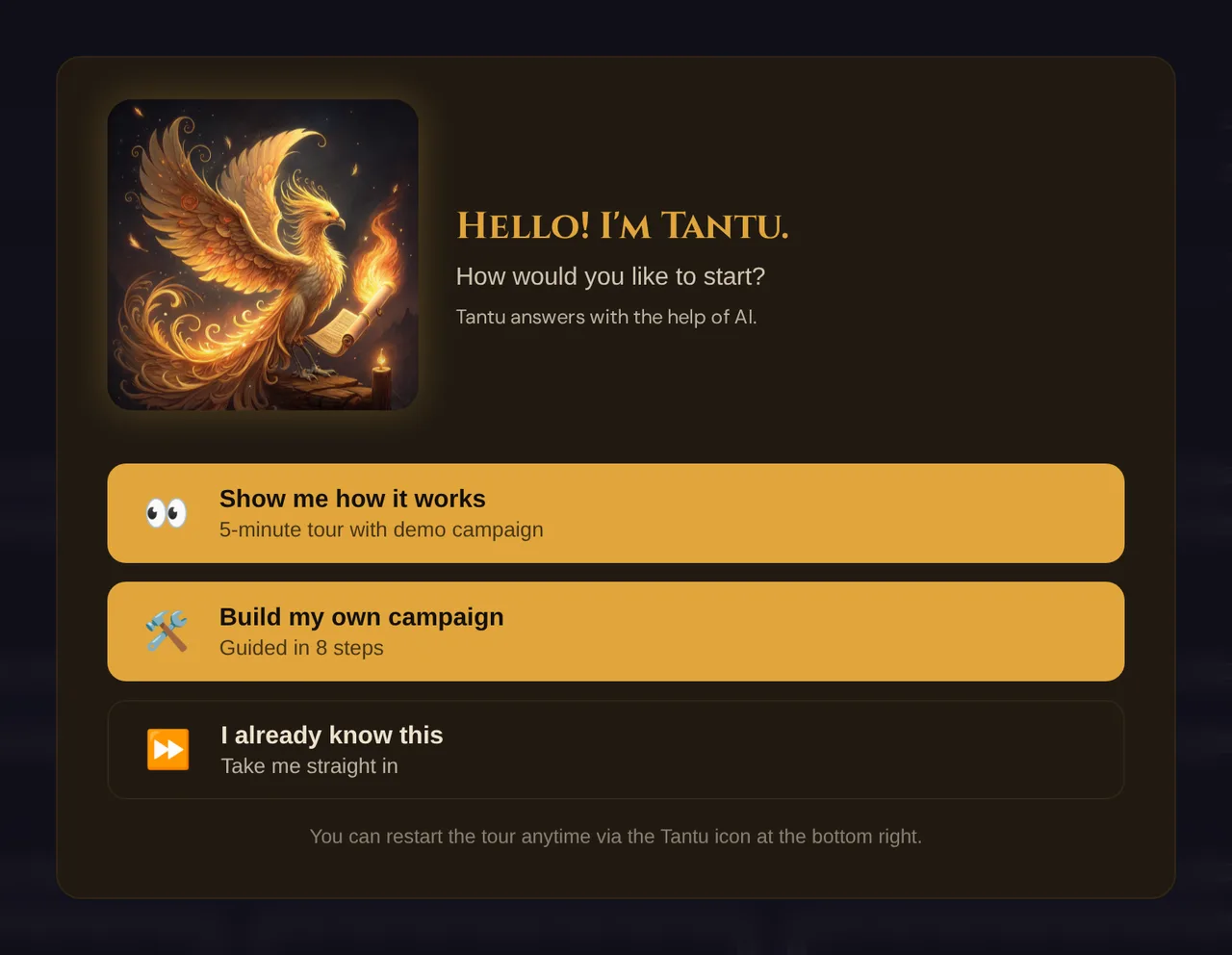
On your first login Wovenkeep opens a welcome modal where Tantu greets you. A short note explains that Tantu answers with the help of AI. You pick one of three paths. After you choose (or skip), a small Tantu help bubble stays in the bottom-right corner so you can reopen the tour or the checklist any time. The onboarding system tracks where you are per device, so it doesn't nag you on a screen where you've already seen it — and once your Realm has a campaign of your own, new devices skip the welcome modal and only show the bubble.
When to use it
Use the tour on your very first session if you've never run a GM tool before. Use the Lazy-DM checklist whenever you're prepping a real campaign and want a guided order to work through. You can dismiss everything and never see it again — your choice is remembered.
The welcome modal — three paths
The modal can't be dismissed with Esc by accident — you choose one of the buttons:
| Button | What it does |
|---|---|
| 👀 Show me how it works | Starts the 6-step guided tour in a throwaway sandbox campaign |
| 🛠️ Build my own campaign | Opens the Lazy-DM checklist — 8 guided prep steps |
| ⏩ I already know this | Skips straight into the tool; the help bubble still appears |
💡 Tip: Whichever you pick, the Tantu help bubble (bottom-right) lets you restart the tour or open the checklist later. Skipping is not permanent.
Step by step — the guided tour
On first login, the welcome modal appears. Click Show me how it works.
Wovenkeep silently creates a tour sandbox — a private, throwaway copy of the demo campaign The Secret of Lauf. It opens as your active campaign so every tab has real content to look at.
Tantu spotlights each area in turn, with a popover that shows your progress (e.g.
2/6) and a Next → button. The six stops are:# Spotlight What Tantu shows you 1 Your sandbox campaign "This is your sandbox — try anything here." 2 NPCs The 5 ready-made characters Wovenkeep prepared 3 Scenes What players see on their screens 4 Live mode toggle Where you push scenes to player phones 5 Sessions What happened in each session 6 Create a campaign Your turn — build your own adventure At any stop, click Skip tour to leave early, or Next → to continue.
On the last stop the button reads Open Lazy-DM mode — click it to roll straight into the prep checklist for your own campaign.
💡 Tip: The sandbox is completely separate from the demo campaign in your Realm. Break it, delete things, push scenes — nothing you do in the sandbox touches your real data.
The Lazy-DM checklist — 8 prep steps
Choosing Build my own campaign (or finishing the tour) opens the Lazy-DM sidebar — a prep checklist inspired by the "Lazy Dungeon Master" approach. Each step links to the tab where you do the work:
| # | Step | Opens tab |
|---|---|---|
| 1 | Review characters | Players |
| 2 | Strong start | Sessions |
| 3 | Outline scenes | Scenes |
| 4 | Clues & hints | Clues & Hints (Foreshadowing) |
| 5 | Locations | Worlds |
| 6 | NPCs | NPCs |
| 7 | Monsters | Encounters |
| 8 | Treasure | Inventory |
- Click a step to jump to its tab; click Mark done to tick it off. A progress bar shows
{done}/8. - The sidebar has a Mode toggle: Lazy-DM reorders the prep navigation to put these eight tabs front and centre (and renames Foreshadowing to Clues & Hints); Default restores the normal layout.
- Pin sidebar keeps the checklist open across reloads. Hide closes it (and unpins it).
💡 Tip: Lazy-DM mode only reorders your prep menu — it never hides features. Anything not in the eight steps moves into a More Tools group lower down.
The Tantu help bubble
After onboarding, a floating Tantu mascot sits in the bottom-right corner. Click it for a small menu:
| Option | What it does |
|---|---|
| 🔄 Restart tour | Reopens the welcome modal so you can pick a path again |
| 📋 Lazy DM checklist | Opens the 8-step prep sidebar |
| ⌨️ Keyboard shortcuts | Coming soon |
This bubble is your way back to onboarding once you've dismissed the modal — there's no menu item buried in settings. If you tick Hide AI features in ⚙️ Tantu Settings (see Hide AI features), the bubble stays: it shows a ❓ instead of Tantu, and its menu still leads to the tour and the checklist.
What the demo sandbox contains
The tour sandbox is a fresh clone of The Secret of Lauf, so it has everything the demo has:
- 5 NPCs with portraits and personalities (Mayor Heinrich Falkner, innkeeper Kaspar, Sister Margit, the goblin Grimjaw, the shadowy Watcher)
- 6 scenes ready to push
- 2 encounters (a tutorial rat fight and a boss fight)
- Plotlines, a handout, a place clock, demo loot, and 3 pre-built player characters
It lives on the same demo world as the showcase campaign, so the world, pantheon and lore are already there to explore.
How onboarding state is remembered
- First login on a device → the welcome modal appears.
- You pick a path (or skip) → the choice is saved for this device.
- Next login on the same device → no modal, just the help bubble.
- First login on a different device → that device shows the modal once, on its own — but only while your Realm has no campaign of your own yet.
- Your Realm has a campaign of your own (not the demo and not the tour sandbox; a copy of the demo counts) → new devices show just the help bubble.
Your onboarding progress is tied to the device you're using, not to your Realm as a whole. As long as you have no campaign of your own, a new laptop or tablet offers the tour again — and the modal never re-interrupts a device that's already past it. Once you have a campaign, an existing GM isn't held up by the welcome on a new device; the tour is still there via the bubble → 🔄 Restart tour.
Plan limits
Onboarding, the guided tour, and the Lazy-DM checklist are free on every plan, including the free Adventurer tier. The tour sandbox is free too. A few caps keep sandboxes tidy:
| Limit | Value |
|---|---|
| Tour sandboxes kept at once | 3 (creating a 4th deletes the oldest) |
| Sandbox auto-cleanup | After 7 days of inactivity, a stale sandbox is removed |
Restarting the tour reuses your existing sandbox rather than piling up new ones. Trialling a paid feature inside the sandbox during the tour does not cost Threads — see Threads & costs for how plans and pay-per-use work once you're building for real.
Troubleshooting
| Symptom | Cause | Fix |
|---|---|---|
| Welcome modal didn't appear on this device | You already chose a path here, or your Realm already has a campaign of your own | Open the Tantu help bubble → Restart tour |
| Modal appears again on a different computer | Onboarding state is per device while your Realm has no campaign of your own | Pick a path or Skip on that device too |
| The help bubble shows a ❓ instead of Tantu | Hide AI features is ticked | Its menu works as usual; to bring Tantu back: Admin → ⚙️ Tantu Settings → untick Hide AI features |
| Tour skips a step without explaining | The highlighted element wasn't on screen yet | Harmless — Tantu moves to the next stop automatically; restart the tour if you want to retry |
| "Keyboard shortcuts" in the bubble does nothing | That item is Coming soon | Use the on-screen buttons for now |
| The Lazy-DM sidebar reappears after every reload | The sidebar is pinned | Click Hide (this also unpins it) |
| Your prep menu looks reordered | Lazy-DM Mode is active | Open the checklist → set Mode to Default |
| A sandbox campaign vanished | Stale sandboxes are cleared after 7 days, or evicted when a 4th is created | Expected — start the tour again to get a fresh one |
Related articles
- 👋 Your first session — the 10-minute path through the demo
- 🗺️ Tour of the GM tool — a map of every prep and live screen
- 🏛️ The Realm concept — what your private Realm is
- 🪶 Tantu: name & voice — rename Tantu and set the tone
- 🧵 Threads & costs — how plans and Threads work