📚 Content & Reference
👤 For: Game Masters · 💳 Plan: All plans · 🔄 Updated 2026-10-17
The reference layer of Wovenkeep: the full D&D 5e SRD with illustrated entries, ten oracle tables plus your own random tables for improvisation, your consolidated media library, and the print pack for analog play. These are the tools you reach for during a session, not just in prep.
In this section
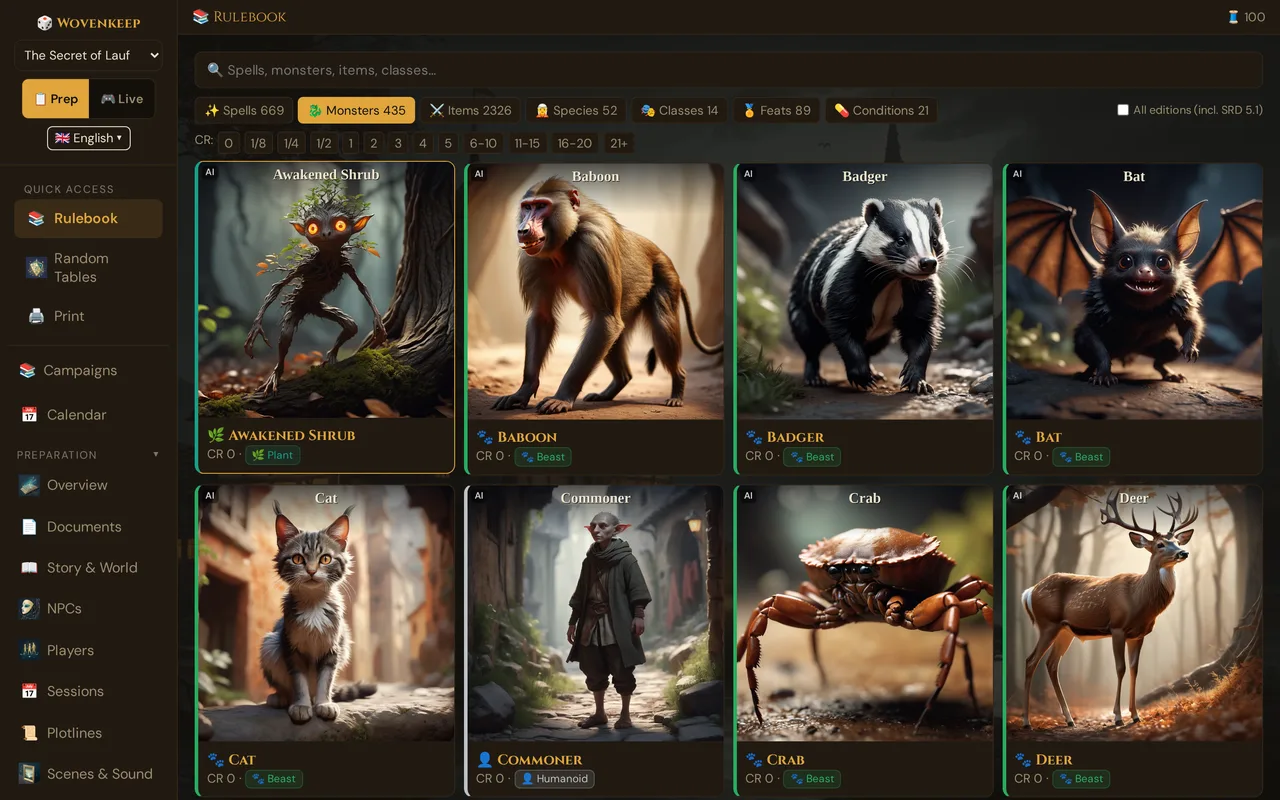
- 📕 SRD Rulebook — 3,761 openly licensed D&D 5e entries (monsters, spells, items, races, classes, feats, conditions), most of them illustrated, searchable, with artwork picker; the standalone page adds card preview and a 🎒 My Items tab for your campaign's custom items
- 🎰 Random Tables — 10 one-click oracle tables for names, treasure, weather, rumors, and more — plus your own tables per campaign, rolled in prep and live
- 🎨 Media Library — the Media page: your uploaded images and sounds, media made with AI and the included sounds, on four shelves
- 🖨️ Print Pack — generate a printable session packet for analog or hybrid play
What it does
The Content & Reference section gives you instant lookup during play without leaving the GM tool. The SRD Rulebook covers 3,761 openly licensed D&D 5e entries (SRD 5.2 and 5.1 plus open content from other publishers) — most of them illustrated (made with AI). The Media page collects your uploaded images and sounds, those made with AI and the sounds included with Wovenkeep on four shelves. The Random Tables give you a one-click answer when improv fails you. The Print Pack turns your prep into paper in seconds.
SRD Rulebook — highlights
3,761 openly licensed entries
The SRD load covers 2,326 items, 471 monsters, 671 spells, 127 class entries, 56 races, plus feats and conditions. Most entries have an illustration; it was made with AI. A few entries don't have a picture yet. The count shown in the tool's stats bar reflects the live database; by default the Rulebook shows 3,715 entries, because older SRD 5.1 duplicates are hidden (see Editions).
Card preview on hover
Hover (desktop) or long-press (mobile) a result card in the Rulebook — or a monster hit in the encounter builder's search — and a compact popover shows the key stats and a thumbnail without opening the full modal.
Artwork picker
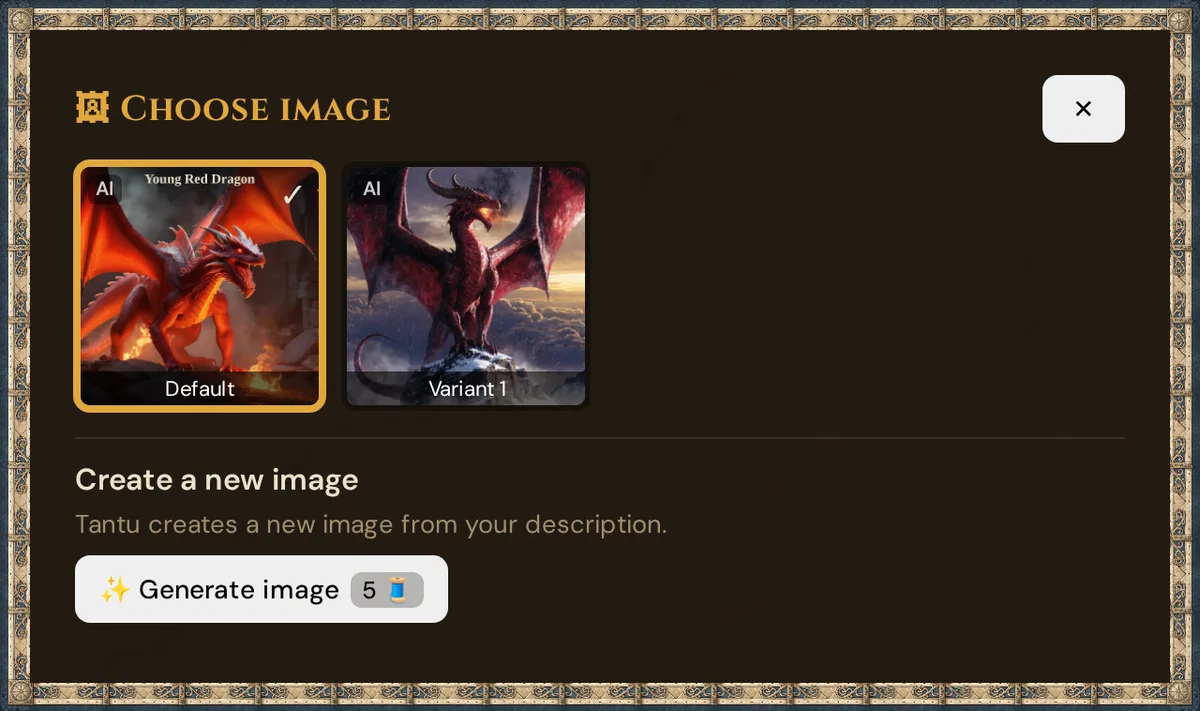
In the detail window of an SRD entry, click 🖼 Pick image. The Choose image window shows the Default picture and further variants (made with AI) as tiles; click one to use it — your choice is kept for your Realm. Under Create a new image, Tantu paints a new one from your description (✨ Generate image, 5 Threads).
Licensing & credits
Every SRD entry shows its license (OGL 1.0a or CC-BY 4.0). The full attribution list and OGL text live at app.wovenkeep.com/credits.
Random Tables and the Rulebook in your language
The 10 built-in oracle tables come in English, German, French and Spanish — each language has its own content (not a word-for-word translation, with metric units and the local currency abbreviation). The tool uses the tables of your interface language and falls back to English if a table is missing. Results are shown in your GM view — they are not pushed to player screens.
The Rulebook also shows spells, monsters and conditions — names and texts — in your interface language, along with item descriptions and subclasses. The search finds an entry by its English name and by its translated name.
Media Library — highlights
The Media page is the single home for all media in your Realm. It has its own sidebar entry: Media, in the Create group (next to Items, Monster, Encounters, and Random Tables).
What you find here
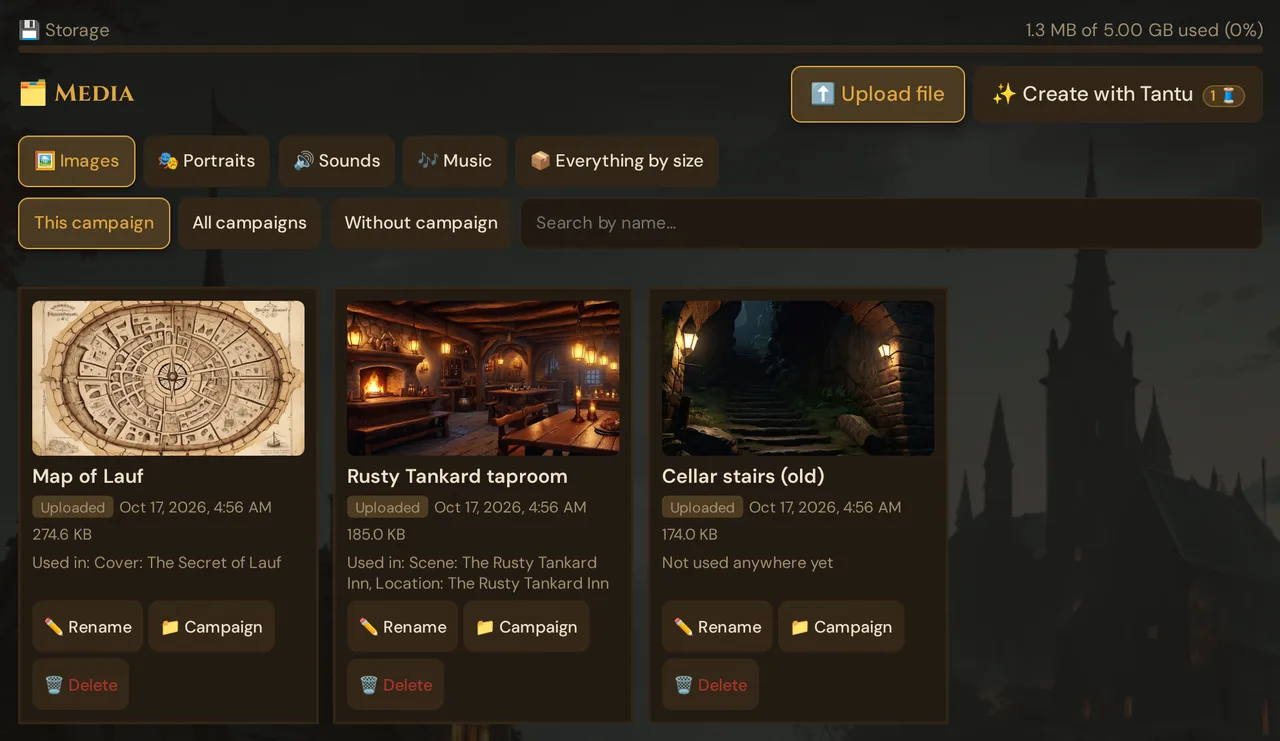
- The shelves 🖼️ Images, 🎭 Portraits, 🔊 Sounds and 🎶 Music, for This campaign, All campaigns or Without campaign, with a search by name — and 📦 Everything by size, every file that counts against your storage, largest first
- Files you uploaded, media made with AI (portraits, scene art, sounds) and the sounds included with Wovenkeep — each card shows its origin, date, size and Used in: …
- ✏️ Rename, 📁 Campaign and 🗑️ Delete (into the trash, restorable for 30 days)
- During a running session: 🔊 Play at the table for every sound
- ✨ Create with Tantu for a new sound from your description (1 Thread)
Reactivating an earlier image happens where the image is used — the portrait picker in the NPC editor or the 🖼️ Image variants button on a custom item card — not on the Media page.
Storage quota bar
A colour-coded progress bar shows how much of your plan's storage you have used. The bar turns amber at 70 % and red at 90 %. A line below it shows what is waiting in the trash — media there don't count.
Buying more storage
If you are close to your limit, click More Storage (50 Threads = +500 MB) below the storage bar. Each pack adds 500 MB permanently for 50 Threads. 💾 Storage opens the Media page on the shelf 📦 Everything by size: your files largest first, with a clean-up for broken entries — see Storage & files.
Pre-generation quota gate
Before a new image or sound is made with AI, Wovenkeep checks whether the file would fit within your quota. If not, nothing is created and you see a prompt to top up or free space.
What's free vs. gated
The SRD and Random Tables are fully free on every plan — they are core GM tools, not premium features. Only the storage size changes with the plan.
| Resource | Adventurer (free) | Game Master | Storyteller | Guild Master |
|---|---|---|---|---|
| SRD Rulebook | ✓ Full | ✓ Full | ✓ Full | ✓ Full |
| Artwork picker | ✓ | ✓ | ✓ | ✓ |
| Random Tables | ✓ All 10 | ✓ All 10 | ✓ All 10 | ✓ All 10 |
| Media Library | ✓ (100 MB) | ✓ (1 GB) | ✓ (5 GB) | ✓ (20 GB) |
| Print Pack (all 9 sections) | ✓ | ✓ | ✓ | ✓ |
| +500 MB storage pack | 50 Threads | 50 Threads | 50 Threads | 50 Threads |
💡 Tip: Images made with AI count toward your storage quota. If you ask for a lot of NPC portrait or scene art suggestions, keep an eye on the storage bar and top up as needed.
Plan limits
Media Library storage is the only plan difference in this section — every feature works on every plan. See Threads & Plans for the full comparison.
- Adventurer: 100 MB — enough for a short campaign's worth of uploads
- Game Master: 1 GB
- Storyteller: 5 GB
- Guild Master: 20 GB
- Storage top-up: +500 MB per 50 Threads, permanent, on any plan
All nine Print Pack sections (including scene read-aloud text, encounter stat blocks, initiative tracker, and blank character sheets) are included on every plan — nothing to unlock.
Troubleshooting
| Symptom | Cause | Fix |
|---|---|---|
| Storage bar shows no data | Grid not loaded yet | Refresh the page; if it persists, clear the browser cache |
| "Not enough storage" when generating an image | Your quota is at or near 100 % | Delete unused media or buy a +500 MB pack (50 Threads) |
| The picker shows only the default image | No further variant exists for this entry yet | Use Create a new image in the picker (Tantu, 5 Threads), or keep the default |
| Random table results appear in English | The interface is set to English, or a table is missing in your language (English is the fallback) | Switch the language dropdown at the top of the sidebar; the next roll uses the tables of that language |
| Print Pack shows fewer sections than expected | Some section checkboxes are unticked (Blank Character Sheets is off by default) | Tick the sections you want in the Print panel, then regenerate |
| Media I deleted still shows in a scene | Deleting moves the item to the trash; the file stays as long as a scene uses it | Choose another picture or sound in the scene |
Related articles
- 🖼️ Scene push — push SRD monster art or media live to players
- ⚒️ Suggestions: items, monsters, images, sound — suggestions for custom items and monsters beyond the SRD
- 📄 Handouts — Print Pack includes your prepared handouts
- 💰 Threads & Plans — storage limits and plan comparison
- 🎨 Artwork Picker — switch between v1 and v2 artwork variants