🌍 Languages (DE / EN / FR / ES)
👤 For: Everyone · 💳 Plan: All plans · 🔄 Updated 2026-10-17
Wovenkeep speaks four languages — English, German, French, and Spanish. Pick yours once and the whole GM tool follows: menus, buttons, and Tantu's answers switch too. Players pick their own language in the player view.
What it does
- The interface (every menu, label, button, and tip) is fully translated into English (en), German (de), French (fr), and Spanish (es).
- Tantu answers with the help of AI, in whichever language you have selected — ask in Spanish, get Spanish back.
- Your choice is remembered on each device and for each part of Wovenkeep: the GM tool (with the TV) and the player view (with the invite page) each keep their own language.
- English is the fallback for anything not yet translated.
When to use it
You want to run your table in your players' native language — or you simply prefer reading the tool in German, French, or Spanish instead of English. Set the language and everything from prep to live play stays in that language.
Step by step
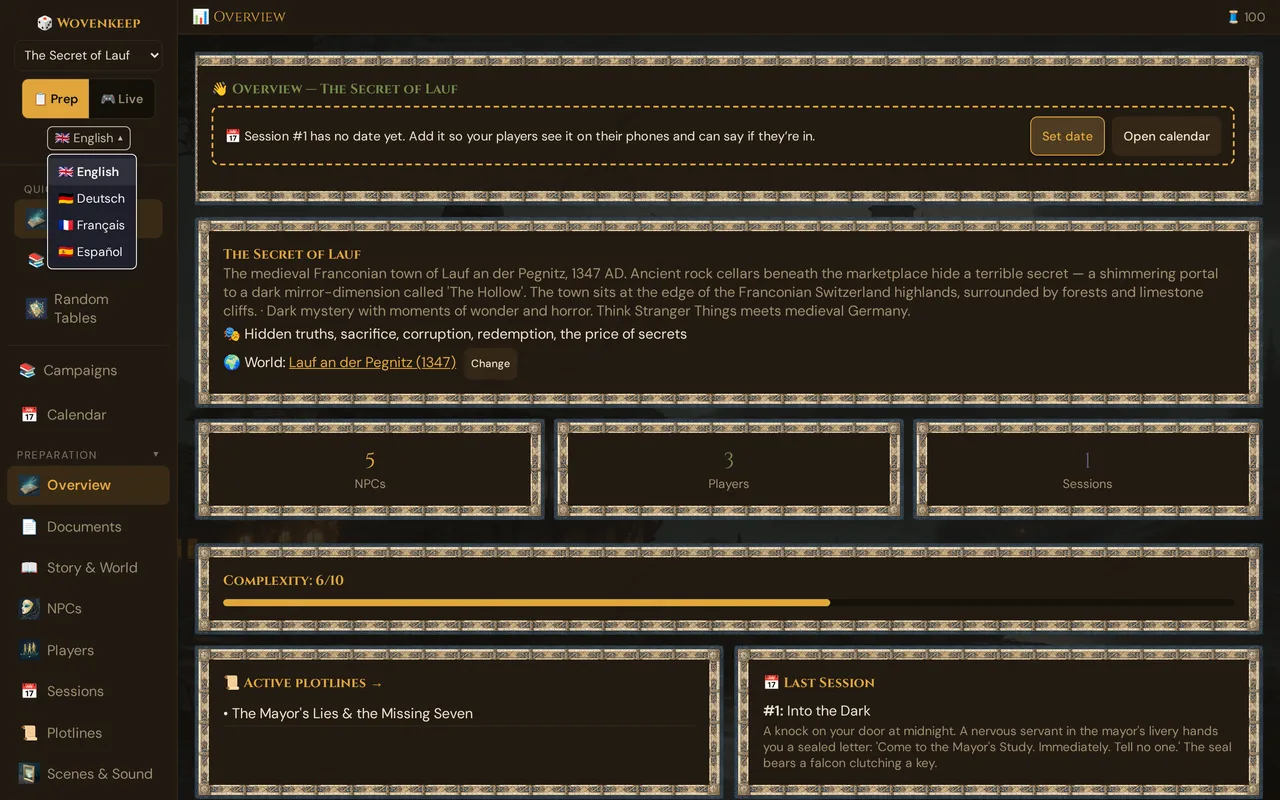
- Open the language dropdown at the top of the sidebar, below 📋 Prep / 🎮 Live — it shows the current flag and language name (e.g. 🇬🇧 English).
- Pick a language from the list: 🇬🇧 English, 🇩🇪 Deutsch, 🇫🇷 Français, or 🇪🇸 Español.
- The page reloads in the new language — no re-login.
- From now on, Tantu also answers in that language.
💡 Tip: The first time you open Wovenkeep, it tries to match your browser's language automatically. If your browser is set to German, French, or Spanish, you'll likely land in that language already.
How Tantu follows your language
Tantu doesn't need a separate language setting. Tantu answers in the language of the page you ask from — generated NPC dialog, scene descriptions, story-coach notes, and recaps from the GM tool come back in your language; a suggestion a player asks for in the player view comes in the player's language. A recap you send reaches the players exactly as written, in your language. Switch the dropdown and the next generation switches with it.
The four supported languages are the single list the whole tool reads from. Anything outside that list falls back to English.
What the player sees
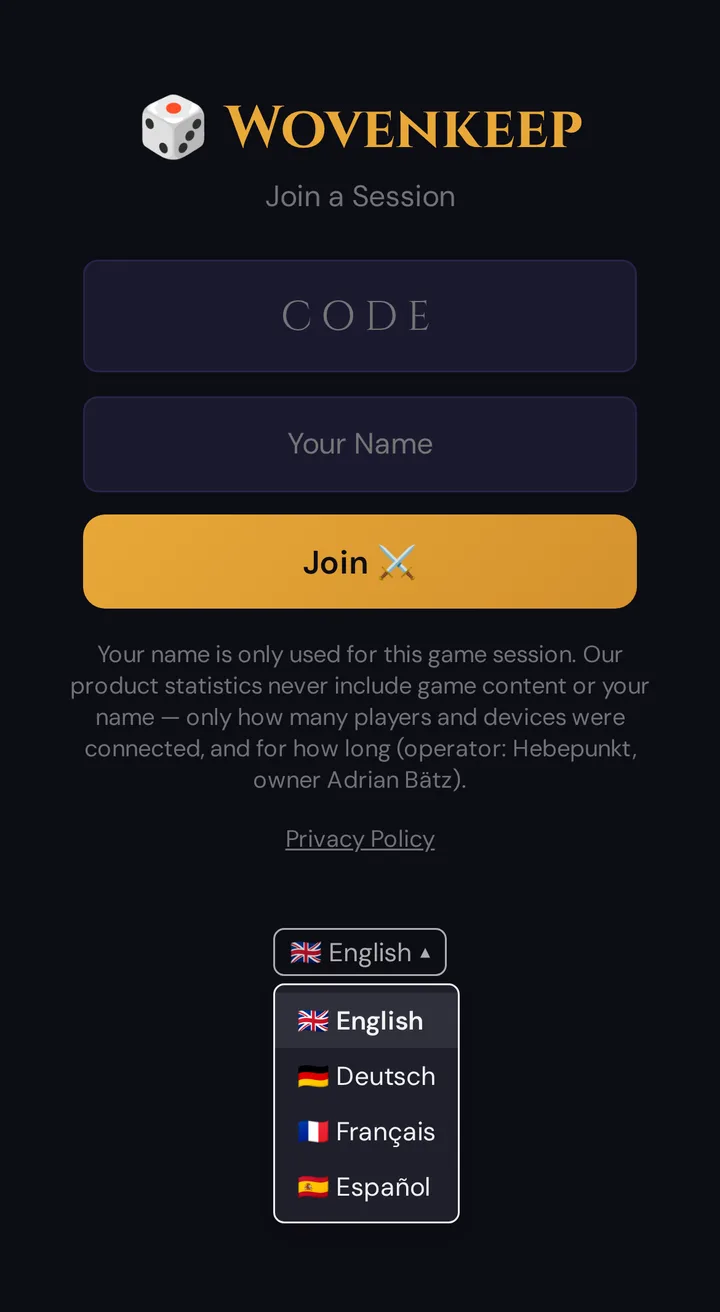
Players who join on their phones get the player view in the same four languages, picked the same way — a small flag dropdown below the Join ⚔️ button on the join screen, which they can change themselves. A French-speaking player can read their character sheet and pushed scenes in French while you, the GM, run the tool in German.
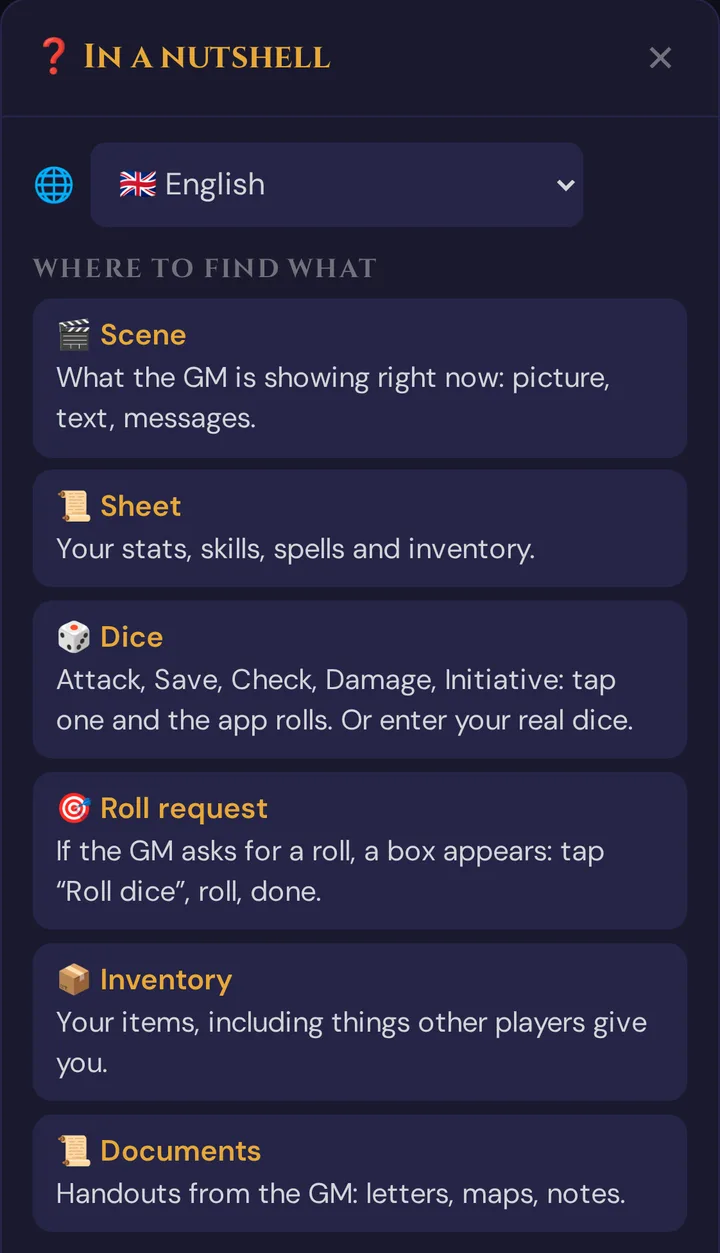
During the game, the ❓ button at the top right of the player view opens the quick help; its first line is 🌐 with a list of the four languages. Choosing one reloads the page; the card Session in progress – continue in {code} with Continue ⚔️ takes the player straight back into the session.
One device, two languages
The player view (and the invite page) remember their own language. On a shared device — the GM laptop with the player view open next to the GM tool, or a family tablet — a player's choice no longer switches the GM tool or the TV. A change in the GM tool only reaches the player view while the player hasn't chosen a language there. All of this is per browser: a private window or another device starts afresh.
Rules content and Random Tables in your language
- The 10 built-in Random Tables come in all four languages, each with its own hand-written content (see Random Tables). If a table is missing in your language, the English one is used. Your own tables stay exactly as you wrote them.
- The Rulebook shows spells, monsters and conditions — names and texts — in your interface language, along with item descriptions and subclasses (see SRD Rulebook). The search finds entries by their English and their translated name.
Where it's still English-only
- A handful of in-app screens that only ever show English labels (these are the same across all languages by design).
The "The Secret of Lauf" demo campaign is not on this list any more: it ships with hand-curated content in all four languages — English, German, French, and Spanish — and the sandbox name follows your language too.
Plan limits
Languages are free for everyone — there's no Threads cost and no plan gate. All four languages, including Tantu's answers in your language, work on every plan, including the free Adventurer tier. See Threads & costs for what the optional AI help costs.
Troubleshooting
| Symptom | Cause | Fix |
|---|---|---|
| Language reset after switching devices | The choice is remembered per device | Set the language again on the new device — it sticks from then on |
| The player view shows another language than the GM tool on the same device | Each keeps its own language | Expected — choose the language in the player view with ❓ → 🌐 |
| After changing the language, the player view shows the join screen | The page reloaded | Tap Continue ⚔️ on the card Session in progress – continue in {code} |
| Tantu still replies in English | The interface language hadn't switched when the request was sent | Switch the language dropdown first, then ask Tantu again |
| Demo campaign is in English while everything else is in your language | The demo was seeded before the four-language demo content shipped | Use the demo banner's Reset to re-seed it — fresh demos come in EN/DE/FR/ES |
| A word here and there is still in English | That string isn't translated yet | English is the safe fallback; the rest of the page stays in your language |
Related articles
- 🪶 Tantu: name & voice — Tantu's name and tone
- 🧵 Threads & costs — what the optional AI help costs
- 📱 Multi-device players — players pick their own language
- 👋 Your first session — the demo campaign
- 📕 SRD Rulebook — the reference with 3,761 openly licensed entries