🎒 Player accounts & the Character Vault
👤 For: Players · 💳 Plan: All plans · 🔄 Updated 2026-10-14
You don't need an account to play — a QR code or session code from your GM puts you at the table in seconds. A player account adds one thing worth having: the Character Vault, which keeps your characters with you across campaigns, tables, and GMs.
Do you need one?
| Just playing tonight | Playing for the long run |
|---|---|
| No account needed. Scan the QR code or open the session link your GM shares, pick a name, play. Your phone, a browser — that's the whole setup. | A player account pays off. Your characters live in your Character Vault and stay yours when a campaign ends — ready for the next table. |
A player account is deliberately lightweight: no Realm, no GM tool, no setup wait — just you and your characters. Want to run your own games instead? That's the full account: see Creating your account.
Creating a player account
- Go to
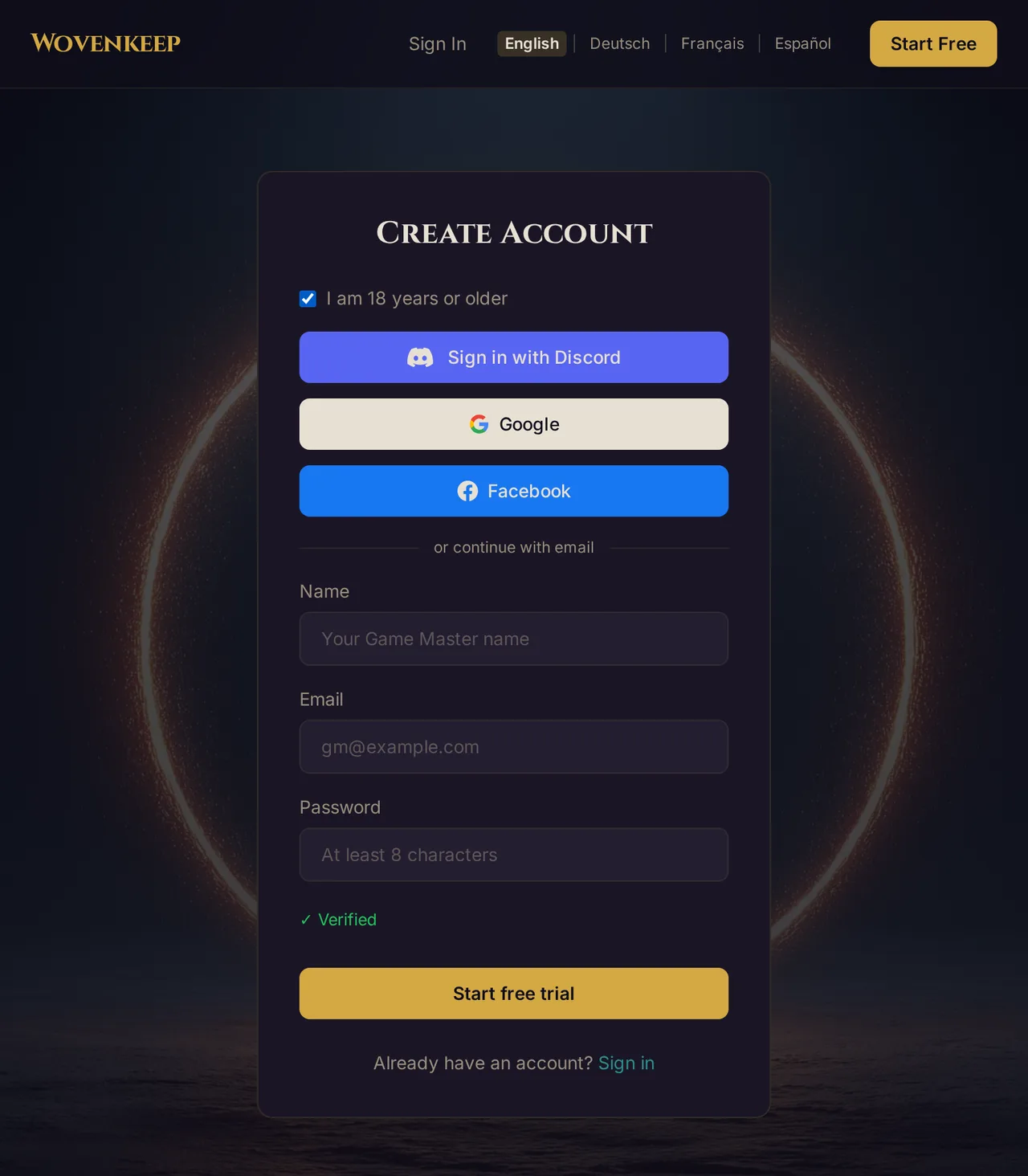
app.wovenkeep.com/signup?as=player— the player variant of the signup form. No Realm name to pick; player accounts don't create one. - Enter your Name, your Email, and a Password (at least 8 characters).
- Tick I am 18 years or older — player accounts require you to confirm you're at least 18. Without the checkbox, signup won't go through, and the Discord, Google and Facebook buttons stay locked.
- Submit the form, then click the link in the confirmation email. That's it — no Realm is built, so there's nothing to wait for.
Your player home & the Character Vault
Log in at app.wovenkeep.com/login and you land on your player home — no plans-and-billing dashboard, just your Character Vault: the characters saved to your account.
The Vault is where your characters live between games. A campaign wraps, a group dissolves, a GM moves on — the character stays with you, ready for the next story.
Joining a session works the same with or without an account: QR code or session link from your GM, exactly as described in Your first session in 10 minutes.
💡 Tip: You can create a player account any time — before your first session or after your tenth. Nothing about joining a table changes; the account is purely where your characters get to live.
Keeping a character
Played a character at someone's table and want to keep it? On your phone, the character card in the player view has 💾 Keep character (next to 📜 Sheet, 📋 Export and 🔗 Copy Link). It saves the character to your Wovenkeep account — a player account, 18+.
- Tap 💾 Keep character. You land on the Keep character page at
app.wovenkeep.com. - Signed in with your player account? Tap Take over — the character lands in your Character Vault, and your player home confirms it.
- Not signed in yet: tap Sign in, or Create a player account (18+). The takeover waits on this device for up to 24 hours — after your first sign-in, your player home offers it again.
A Game Master account can't keep characters: sign out, then sign in with your player account.
Taking a character into your next game
Each character card in your Vault shows its Current game and these buttons:
- Bring into a game — paste the invite link or join link of your new game, enter your name at the table, then tap Bring along. Wovenkeep takes you to that game, and your device opens the character there.
- Fetch progress — only while the character is in a game: copies the latest state from that game into your Vault.
- Delete from vault — removes the character from your Vault. The copy in the game stays with the Game Master.
If this device already has a different character open in that game, it asks first: "Open this character on this device? Your previous character “[name]” will no longer be connected here."
Troubleshooting
| Symptom | Cause | Fix |
|---|---|---|
| Signup won't submit | The 18+ confirmation is required for player accounts | Tick I am 18 years or older — without it there's no player account |
| The form asks for a Realm name | You're on the Game Master signup form | Use the player link: app.wovenkeep.com/signup?as=player |
| Confirmation email never arrives | Spam filter or a typo in the address | Check spam; wait a few minutes; make sure the address is right |
| After login you see plans and billing, not characters | You signed in with a Game Master account | Player accounts land on the player home — check which email you used |
| "Only player accounts can keep characters" | You're signed in with a Game Master account | Sign out, then sign in with your player account — the takeover waits on this device for up to 24 hours |
| "No character to take over" | The takeover is older than 24 hours, or you opened the page on a different device | Open the game on your phone and tap 💾 Keep character again |
Related articles
- ✨ Creating your account — the full account, with a Realm
- 🔑 Logging in: account vs. Realm — the two logins explained
- 👋 Your first session in 10 minutes — joining a table via QR code
- 🎟️ Session Zero survey & player invites — how GMs invite you before session day
- ✨ Character creation — building the character itself
- 📱 Player character sheet (HUD) — your character on your phone