📜 World history & secrets
👤 For: Game Masters · 💳 Plan: All plans · 🔄 Updated 2026-10-14
Build a timeline of your world's defining events — each with a public summary the party can learn and a private GM truth only you see — then hide secrets behind those events and reveal them mid-campaign to drop loot, boons, or lore straight onto your players' phones.
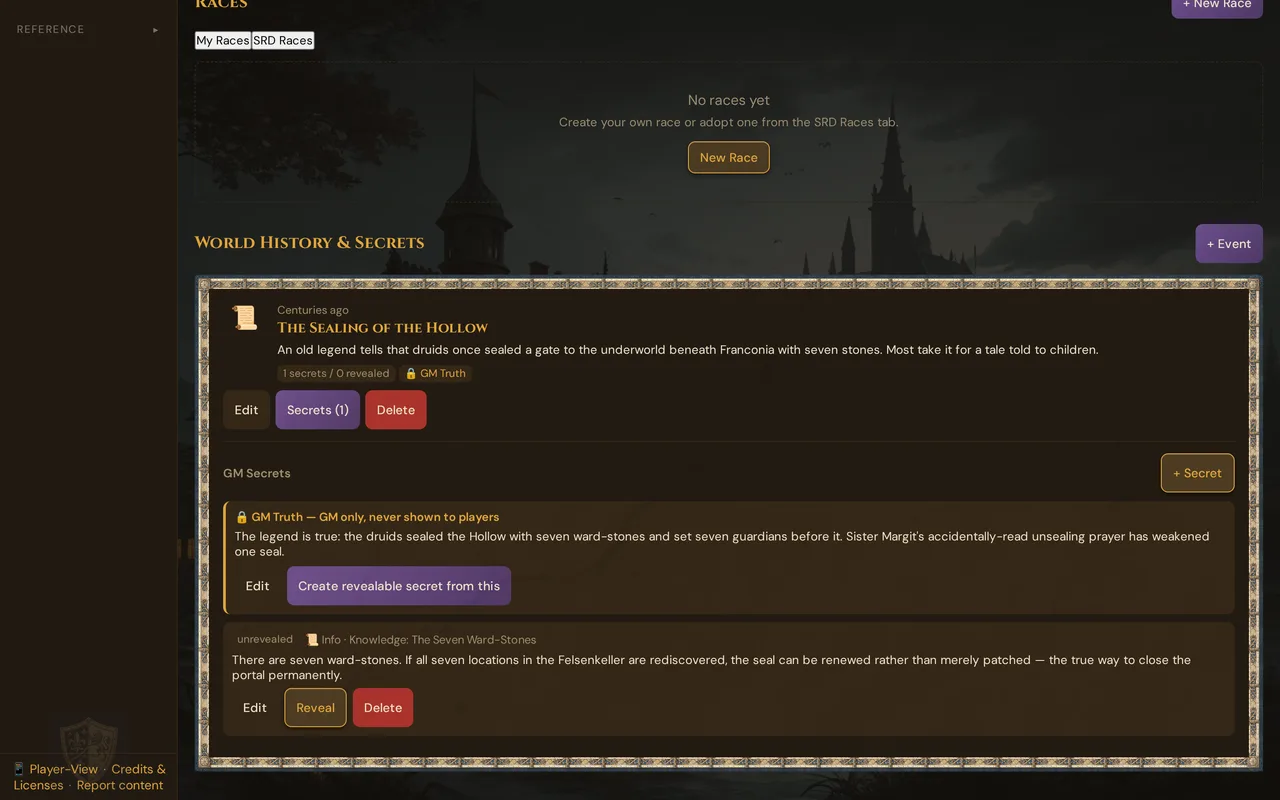
What it does
World history is a per-world timeline. Each event carries two layers: a Public Summary (what the players may learn) and a GM Truth (the real story, never shown to players). Behind each event you stash one or more secrets — a hidden fact the party can uncover. When the party earns it, you press Reveal: the secret's status flips to revealed, an item reward lands in the campaign inventory, and a "world lore unveiled" note appears on the players' devices.
When to use it
Use world history when:
- Your setting has a backstory that matters — a cataclysm, a fallen empire, a god's betrayal — and you want it on record instead of in your head
- You want rewards tied to discovery: the party digs up the truth about an old war and finds the lost blade that ended it
- You're running a mystery and want to control exactly when each piece of lore surfaces for the players
Where to find it
World history lives inside a world's detail view, not in its own nav entry:
- Open the Worlds & Planes editor.
- Open the world you want to work on.
- Scroll to the World History & Secrets section below the world's planes, pantheon, and races.
Step by step
Add a historical event
- In the World History & Secrets section, press + Event.
- Fill in the Title (required) — e.g. The Sundering.
- Optionally add an Era / Date (e.g. 1042 of the Third Age) and a Sort number that orders the timeline (lower first).
- Write the Public Summary — the version the party is allowed to learn.
- Write the GM Truth — the real story. This field is GM-only and never pushed to players.
- Optionally paste an Image URL for the event card.
- Press Save. The event appears as a card on the timeline with a
secrets / revealedcount badge.
Hide a secret behind an event
- On an event card, press Secrets.
- Press + Secret.
- Write the Secret text — the hidden truth the party can uncover.
- Pick a Reward Type (see the table below) and fill in the matching fields.
- Press Save. The secret starts as unrevealed.
Reveal a secret to the party
- On an unrevealed secret, press Reveal.
- Pick the Campaign whose party uncovers it. (The campaign must belong to this world — otherwise the reveal is rejected.)
- Optionally type a player name in Grant to Player to attribute the reward.
- Press Reveal. The secret flips to revealed, the reward is granted, and players in the live session get a toast.
💡 Tip: The reveal push only reaches phones during a live session for that campaign. Revealing between sessions still records everything — status, reveal log, and any item reward — so the lore is waiting in the players' inventory next time they connect.
Reward types
Each secret carries exactly one reward. What happens on reveal depends on the type:
| Reward type | Icon | What you fill in | What happens on Reveal |
|---|---|---|---|
| Item | 🎒 | Reward Label, Reward Detail, Item Image URL | A new item is added to the campaign inventory (named after the label). It shows up in the player's items list. |
| Boon | ✨ | Reward Label, Reward Detail | Recorded in the reveal log and shown in the players' toast. No inventory entry. |
| XP | ⭐ | XP Value | The amount appears in the players' toast as +N XP. No automatic sheet change. |
| Info | 📜 | Reward Label, Reward Detail | Pure lore. The secret text surfaces to players; nothing is granted. This is the default. |
⚠️ Item is the only reward type that writes a real, persistent inventory entry. Boon, XP, and Info are announced and logged, but you apply them by hand to character sheets — Wovenkeep records the moment, it doesn't edit stats for you.
What the player sees
When you reveal a secret during a live session, players get a tappable note on their screen (with a short vibration):
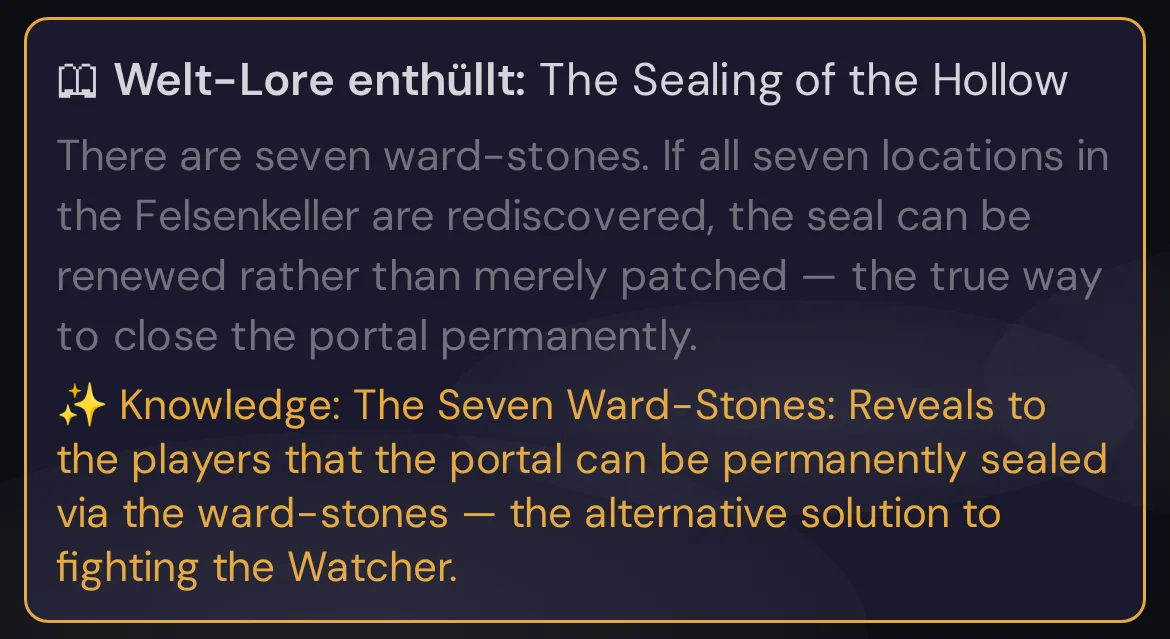
The note closes when tapped, or by itself after about seven seconds.
- The event title and the secret text always appear.
- For Boon, XP, and Info rewards, the reward line is shown in the note (
+N XP, or the label/detail). - For an Item reward, the note announces the lore, and the item itself appears in the player's inventory rather than on the reward line.
- The GM Truth field is never part of this push.
Revealing twice is safe
Pressing Reveal on a secret that's already revealed does not grant a second reward or create a duplicate inventory item. Wovenkeep returns the original reveal and leaves the inventory untouched. You can re-press without fear of double-dipping.
Plan limits
World history is part of the free GM prep toolkit — building timelines, writing secrets, and revealing them costs no Threads and works on every plan. The reward fields take image URLs you paste yourself; generating those images with the AI is a separate, Threads-based action (see Threads & costs).
Troubleshooting
| Symptom | Cause | Fix |
|---|---|---|
| The Reveal dialog says "No campaigns linked to this world" | No campaign uses this world yet | Create or edit a campaign and set its world to this one, then reopen the reveal dialog. |
| Reveal fails with a "campaign does not belong to this world" message | The chosen campaign points at a different world | Pick a campaign that actually uses this world, or change the campaign's world. |
| The reward never reached the players' phones | No active live session for that campaign at reveal time | The reward and log are still saved. Start (or resume) the session — item rewards are already in the inventory; re-reveal is safe for the toast. |
| An item reward isn't in the inventory | The secret's reward type isn't Item | Boon / XP / Info don't write inventory. Edit the secret and set the reward type to Item before revealing. |
| Deleting an event also removed its secrets | Events cascade-delete their secrets by design | Re-create the secrets, or edit the event instead of deleting it. |
Related articles
- 🌍 Worlds & Planes — where the timeline lives
- 📜 Story & World — the free-text setting behind it
- 🎁 Items & inventory — where item rewards land
- 📡 Running a live session — when reveals reach phones
- 🧵 Threads & costs — costs for AI-generated reward art