✨ Creating your account
👤 For: Game Masters · 💳 Plan: All plans · 🔄 Updated 2026-10-14
From START FREE on wovenkeep.com to your own Realm takes about five minutes: one form, one confirmation email, and Wovenkeep builds your private GM workspace for you. The free Adventurer plan is free forever — no card, no time limit.
What you get
Signing up creates two things at once:
- Your Wovenkeep account on
app.wovenkeep.com— where you manage your plan, your Threads, and your Realm. - Your Realm at
yourname.wovenkeep.com— your private GM workspace where campaigns, NPCs, and sessions live. See What is "your Realm"?.
You also start with 100 Threads starting credit for optional extras, credited the moment your email is confirmed — and you can earn more (first campaign +10, ten sessions played +20). See Plans, Threads, and what they cost.
💡 Just playing in someone else's game? You don't need any of this — a session code from your GM is enough. If you'd like to keep characters across campaigns, a lightweight player account does that.
Step by step
- On
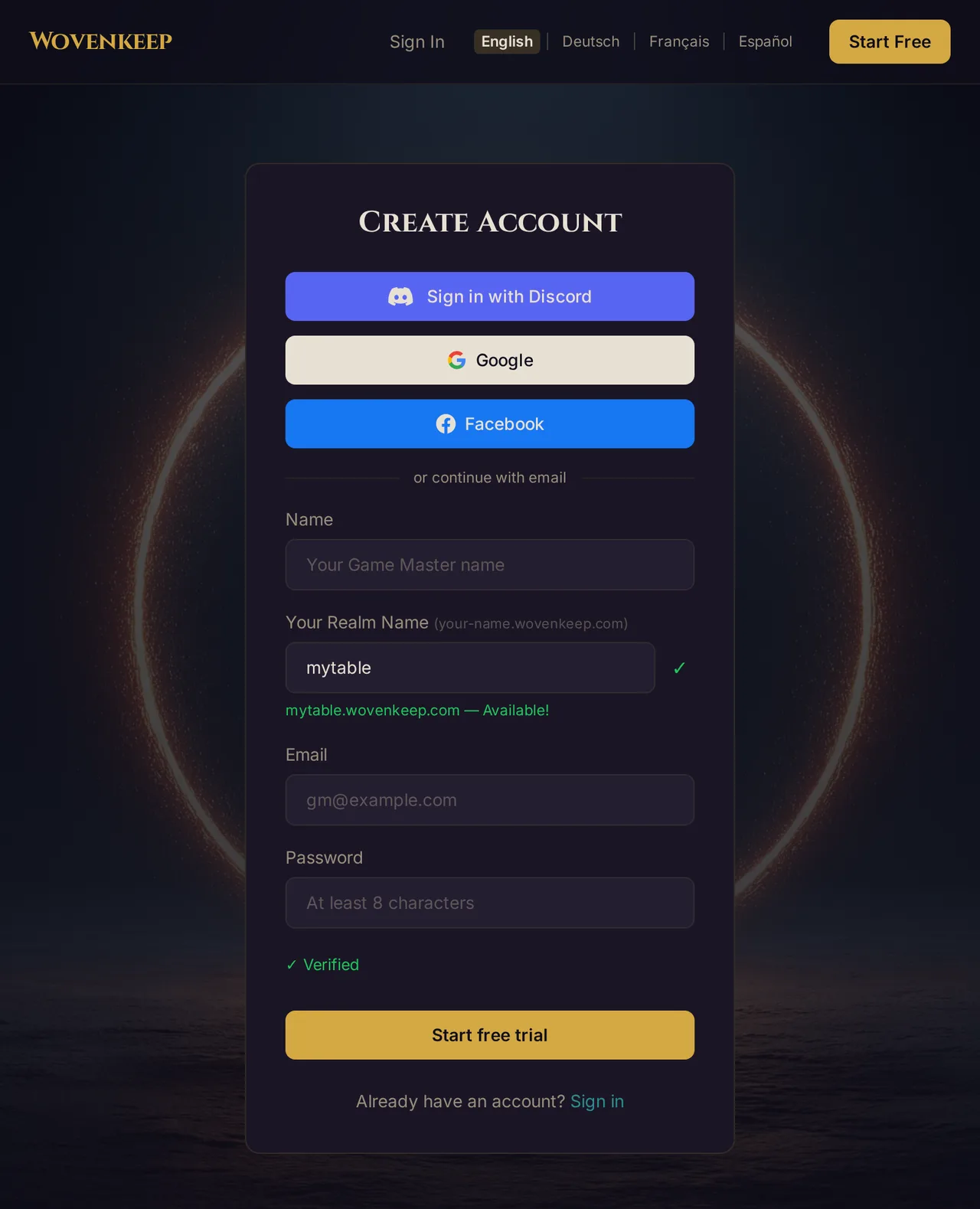
wovenkeep.com, click START FREE. You land on the signup form atapp.wovenkeep.com/signup. - Enter your Name, your Email, and a Password (at least 8 characters).
- Optionally pick Your Realm Name — this becomes your Realm's address. The form checks availability live and shows a green check with
yourname.wovenkeep.com — Available!when the name is free. Rules: 3–20 characters, lowercase letters, numbers, and dashes; no dash at the start or end; a few names (likewww,admin,app) are reserved. Leave the field empty and Wovenkeep derives a name from your signup name. - Click Start free trial — a short automatic security check (✓ Verified) runs just above the button. Prefer one-click signup? Use the Discord, Google or Facebook button at the top of the form instead.
- Wovenkeep sends you "Please confirm your email address — Wovenkeep". The link in it is valid for 24 hours.
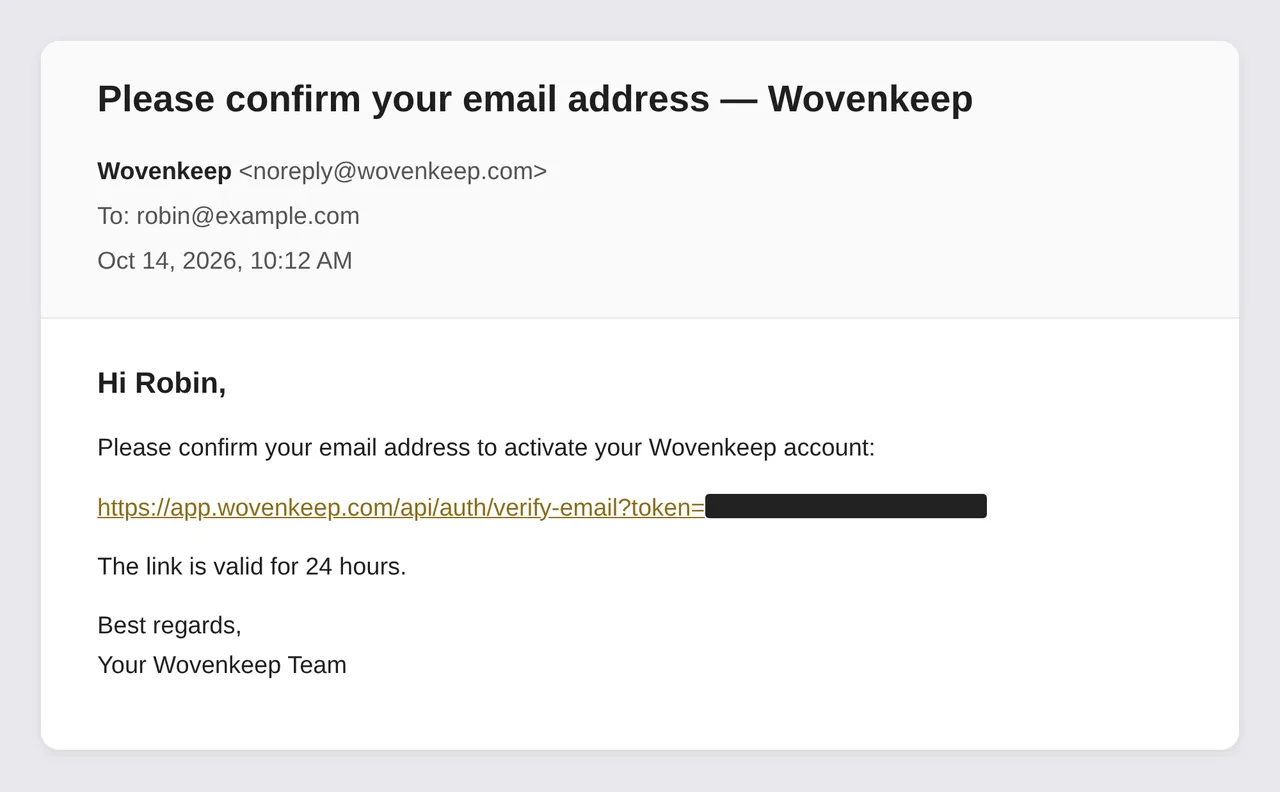
- Click the confirmation link. Your email is verified, your 100 Threads are credited, and Wovenkeep starts building your Realm — this takes about a minute.
- When your Realm is ready, a welcome email arrives with your Realm URL and your GM password.
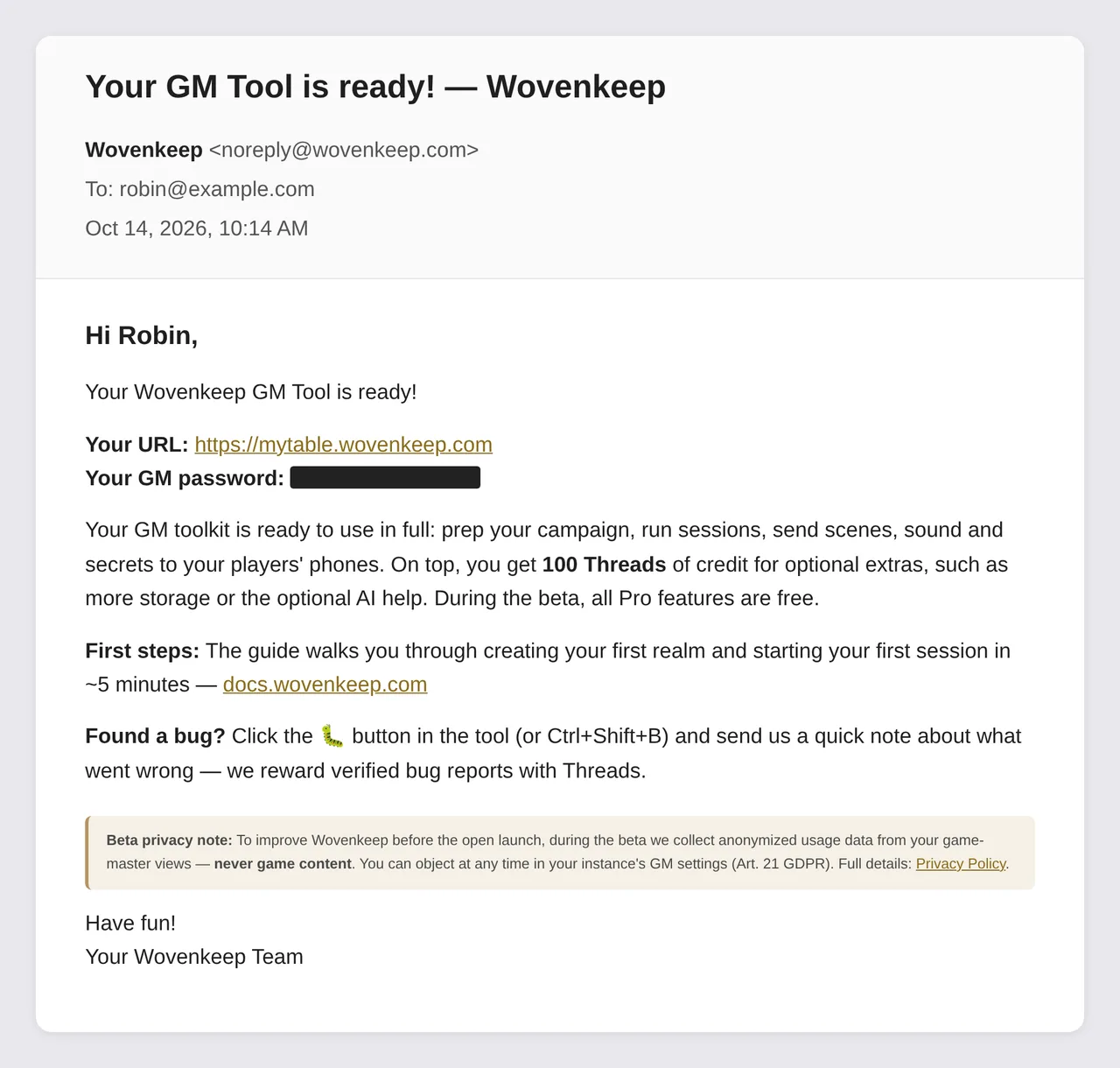
- Open the Realm URL, enter the GM password — you're in. Continue with Your first session in 10 minutes.
⚠️ Keep your GM password safe. It is a separate password just for your Realm — your account password won't open it. You can change or reset it any time from your account dashboard; see Logging in.
During the beta: invite codes & waitlist
You don't need an invite code to sign up. If all beta places are taken, the signup page offers the waiting list instead: leave your email address there and you'll hear from us as soon as a spot opens up.
Want news before you sign up? On the wovenkeep.com landing page, the Stay in the loop form takes your email address — just confirm it via the link in the mail.
Troubleshooting
| Symptom | Cause | Fix |
|---|---|---|
| Confirmation email never arrives | Spam filter or slow delivery | Check your spam folder; wait a few minutes; make sure the address was typed correctly |
| Realm name shows as not available | Name already taken or reserved | Pick a variation — numbers and dashes help — or leave the field empty |
| "This email is already registered" | You already have an account | Go to Logging in — or use Forgot password? on the sign-in page |
| Signup refuses your email address | Disposable/throwaway mail domains are blocked | Use a mailbox you actually own |
| Welcome email still missing long after verifying | Realm setup still running or mail delayed | Wait a few minutes and check spam; still nothing? Contact support |
Related articles
- 🔑 Logging in: account vs. Realm — the two logins explained
- 🏛️ What is "your Realm"? — what you just created
- 👋 Your first session in 10 minutes — from fresh Realm to live table
- 💰 Plans, Threads, and what they cost — plans and your Threads balance
- 🎒 Player accounts & the Character Vault — for players, without a Realm