📜 Story & World
👤 For: Game Masters · 💳 Plan: All plans · 🔄 Updated 2026-10-16
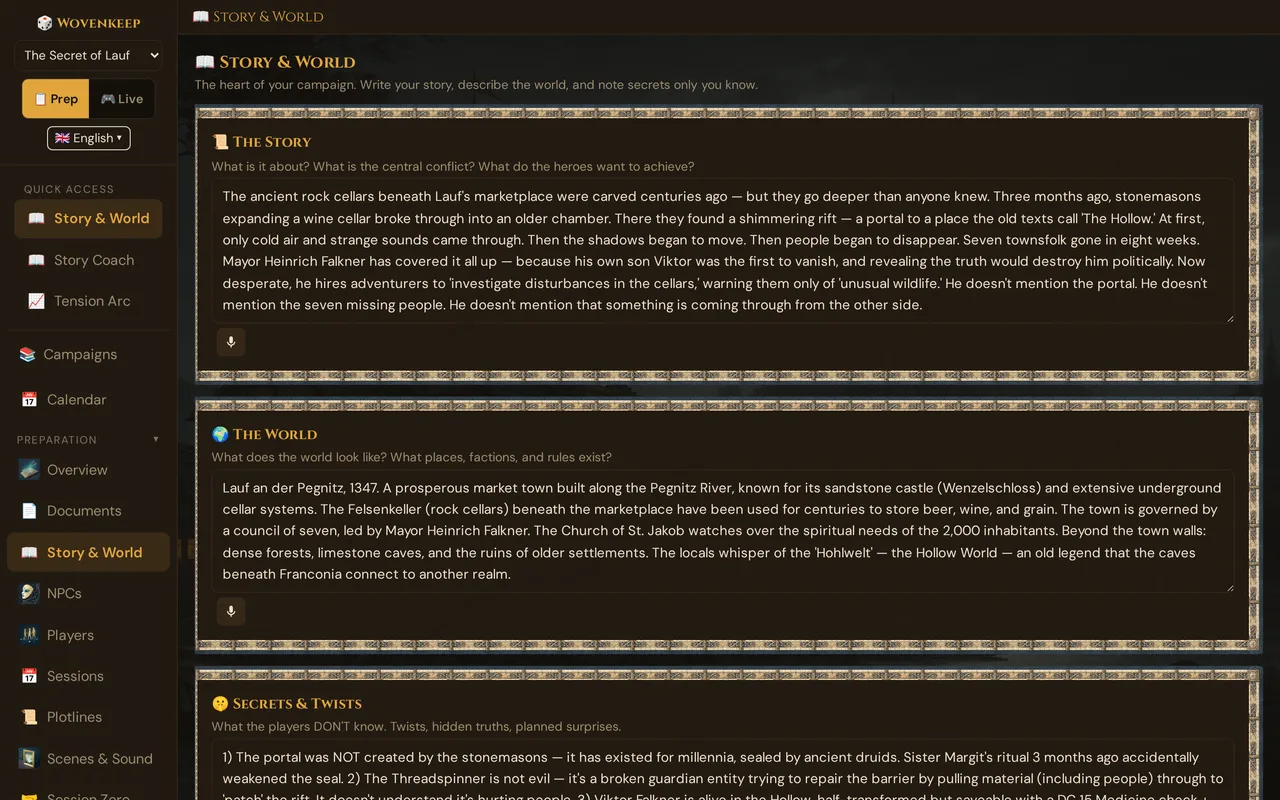
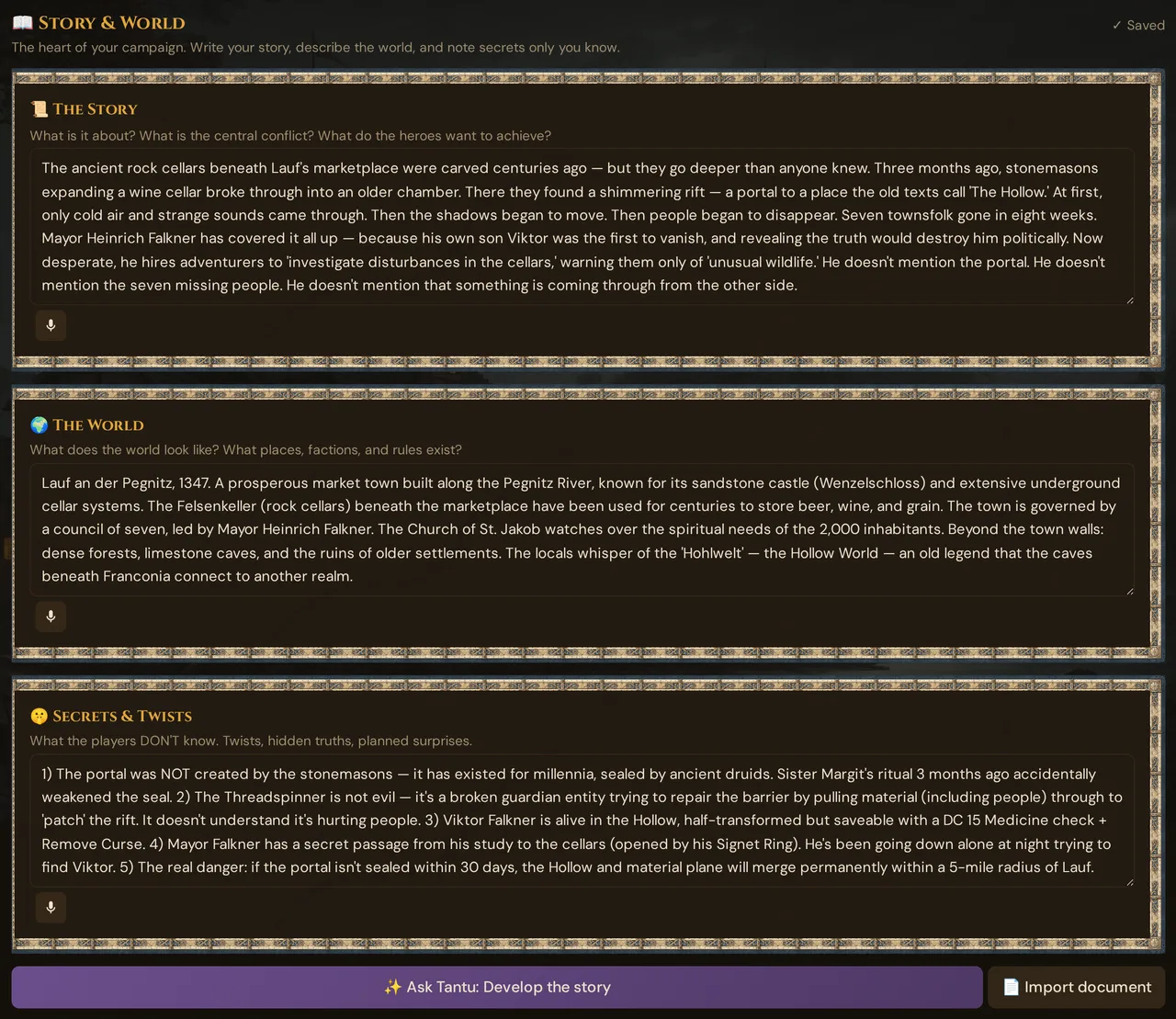
Three text boxes — The Story, The World, and Secrets & Twists — hold the foundation of your campaign and are your cheat sheet at the table. (Tantu also uses them as context for suggestions.)
What it does
The Story & World page is a three-card editor. Each card is one large text box that grows as you type. Everything autosaves — there is no Save button. Together the three cards keep the core of your campaign in one place, and the Secrets & Twists box stays GM-only.
When to use it
This is the first thing to fill in on a new campaign. Write down what the story is about, what the world looks like, and the secrets your players don't know yet — then let the rest of the toolkit build on it.
Step by step
- Open a campaign and click 📖 Story & World in the prep sidebar.
- In 📜 The Story, write the central conflict and where the campaign is heading. Two to four paragraphs is plenty.
- In 🌍 The World, describe the places, factions, and rules players will run into.
- In 🤫 Secrets & Twists, note the hidden truths only you should know.
- Stop typing — a moment later the indicator at the top right of the page shows ✓ Saved. That's it; nothing else to click.
💡 Tip: Write the Story first, then the World. The Story tells you which world details actually matter — everything else is set dressing.
The three text boxes
📜 The Story
Your narrative arc: where the campaign starts, where it's heading, what the central conflict is.
A useful template:
The party has just arrived at [place]. They've heard rumors of [problem]. The real cause is [hidden truth]. Over the campaign they'll discover [revelation] and decide whether to [moral choice]. The final confrontation will be [climax].
This isn't a novel — it's a skeleton you can hang scenes from, and a quick reminder at the table of where the campaign is heading. (Tantu also uses it as context for suggestions.)
🌍 The World
Your campaign bible: geography, factions, history, magical rules, important locations.
A useful template:
Ravenstone sits in a forgotten valley in the Mist Mountains — once a trading post, now nearly abandoned. The nearest town is three days away. An old cemetery lies at the edge of the misty forest. Magic works as in standard 5e, but divination is unreliable near the graveyard.
Cover the things players might ask about; skip lore with no bearing on the campaign. It keeps your descriptions, NPCs and encounters consistent with the world. (Tantu also uses it as context for suggestions.)
🤫 Secrets & Twists
The GM-only card. Plot twists, true motivations, hidden truths.
A useful template:
Mayor Heinrich appears to be a desperate but honest leader. In truth, he sent his own son into the cellars first, as a scout — and the boy never returned. His signet ring opens a hidden passage. If the party defies him, he'll force a moral choice.
This text lives in the campaign as GM data and is not pushed to player phones. It keeps the full picture in one place for you, without spoiling anything for your players.
Use it to plan foreshadowing, to keep your secrets consistent with the story your players see, and to remember an NPC's hidden motive. (Tantu also uses it as context for suggestions.)
GM-only note — Secrets & Twists is never sent to a player device during a live session. Only material you deliberately push (scenes, handouts, revealed lore) reaches player phones.
Autosave
All three boxes autosave automatically. A moment after you stop typing, the change is saved — you'll see the status move through ⋯ Typing… → ⋯ Saving… → ✓ Saved in the indicator at the top of the page. There is no Save button.
Editing also saves on blur (when you click away), so a quick edit-and-switch never loses text. See Autosave for the full behaviour, including what happens if your connection drops.
Where the campaign name, setting and tone live
Name, Setting, and Tone / Mood are not on this page — you set them when you create or edit the campaign from the Overview screen. They're worth getting right because they set the frame for the whole campaign:
| Field | Purpose | Where to edit |
|---|---|---|
| Name | Display name across the app | Overview → Edit campaign |
| Setting | World setting (e.g. Classic fantasy kingdom, Victorian London with magic) | Overview → Edit campaign |
| Tone / Mood | The mood (e.g. Dark fantasy, Heroic & hopeful) | Overview → Edit campaign |
| 🎲 Game system | Always D&D 5e (SRD 5.2) — shown for information, not editable | Overview (metadata card and Edit campaign) |
Setting and Tone keep the feel of your campaign consistent from session to session. (Tantu also uses them as context for suggestions, so a suggestion for a dark fantasy campaign sounds different from one for a comedy campaign.)
Voice input
Each text box has a small 🎤 microphone button beside it — but only in browsers that support voice dictation (Chrome and Edge; not Firefox, and Safari support varies). Click it, allow microphone access when your browser asks, and speak. The transcript is appended to the box (it never replaces what's already there) and then autosaves like any other edit. Dictation follows your interface language (English or German).
Voice dictation here runs in your browser and costs nothing — no Threads, no plan needed. (The Voice Interview is a separate optional extra (AI) that uses Threads.)
Importing a campaign from text
If you've already written a campaign in a document, paste it straight into the boxes. Wovenkeep keeps the plain text and line breaks; it doesn't import tables or images. For NPCs, scenes, and other structured content, create those entities directly in their own sections rather than dumping them into a text box.
Try it on the demo
New realms come pre-loaded with the demo campaign "The Secret of Lauf" — a small mystery in a Franconian frontier town. Open its Story & World to see how the three boxes are filled in, then copy the shape for your own campaign.
Optional: Ideas from Tantu (AI)
At the bottom of the page is ✨ Ask Tantu: Develop the story. Tantu answers with the help of AI. The button opens a small menu of one-click prompts that read your current Story and World text:
- 📝 Expand story — more detail and depth
- ⚔️ Suggest conflicts — what could go wrong?
- 🎭 Suggest plot twist — a surprising turn
- 👤 Suggest NPC — who's missing from the story?
- ⚡ Plan first session — a strong opening, three scenes, one encounter idea
Each mode button carries a 1 🧵 badge, and a confirm dialog with the cost and your balance appears before Tantu answers. Results are kept: reopen the dialog and pick any earlier result from the Saved results dropdown.
For deeper, saved analysis — dramaturgy feedback, a Lazy-DM next-session plan, and plot-hole checks with version history — use the dedicated Story Coach page.
Costs
The Story & World editor — all three boxes, autosave, voice dictation, and the ✨ Ask Tantu: Develop the story prompts — is available on every plan, including the free Adventurer plan.
The one-click prompts and Story Coach are optional AI help: on every plan they cost Threads, your credit for optional extras — and 0 🧵 when you bring your own AI key. See Threads & costs and Pricing for how Threads work.
Troubleshooting
| Symptom | Cause | Fix |
|---|---|---|
| No ✓ Saved appears | The indicator only shows after a real change; a blank edit won't trigger it | Type something, wait a moment, or click away from the box to flush the save |
| ⚠ Network error in the indicator | The save request didn't reach the server | Check your connection; the text stays in the box — click away and back to retry |
| No 🎤 button on a text box | Your browser doesn't support voice dictation | Use Chrome or Edge, or type instead — dictation is optional |
| Dictation does nothing after you allow the mic | Microphone permission was denied or another app holds the mic | Re-allow microphone access in the browser, close other apps using it, reload |
| ✨ Ask Tantu returns an error | No Threads left and no own AI key, or the AI service is briefly unavailable | Add Threads or your own AI key (see Threads & costs); retry after a moment |
Related articles
- 📖 Story Coach — optional feedback from Tantu on what you wrote, saved for later
- 📈 Tension Arc — visualize the pace of your campaign
- 🌍 Worlds & Planes — when one world isn't enough
- 🪶 Tantu: name & voice — the name and tone of Tantu for your campaign
- 📊 GM Dashboard — the hub to visit after writing Story & World
- 👤 NPCs — populate the world you just described