🎰 Random Tables
👤 For: Game Masters · 💳 Plan: All plans · 🔄 Updated 2026-10-17
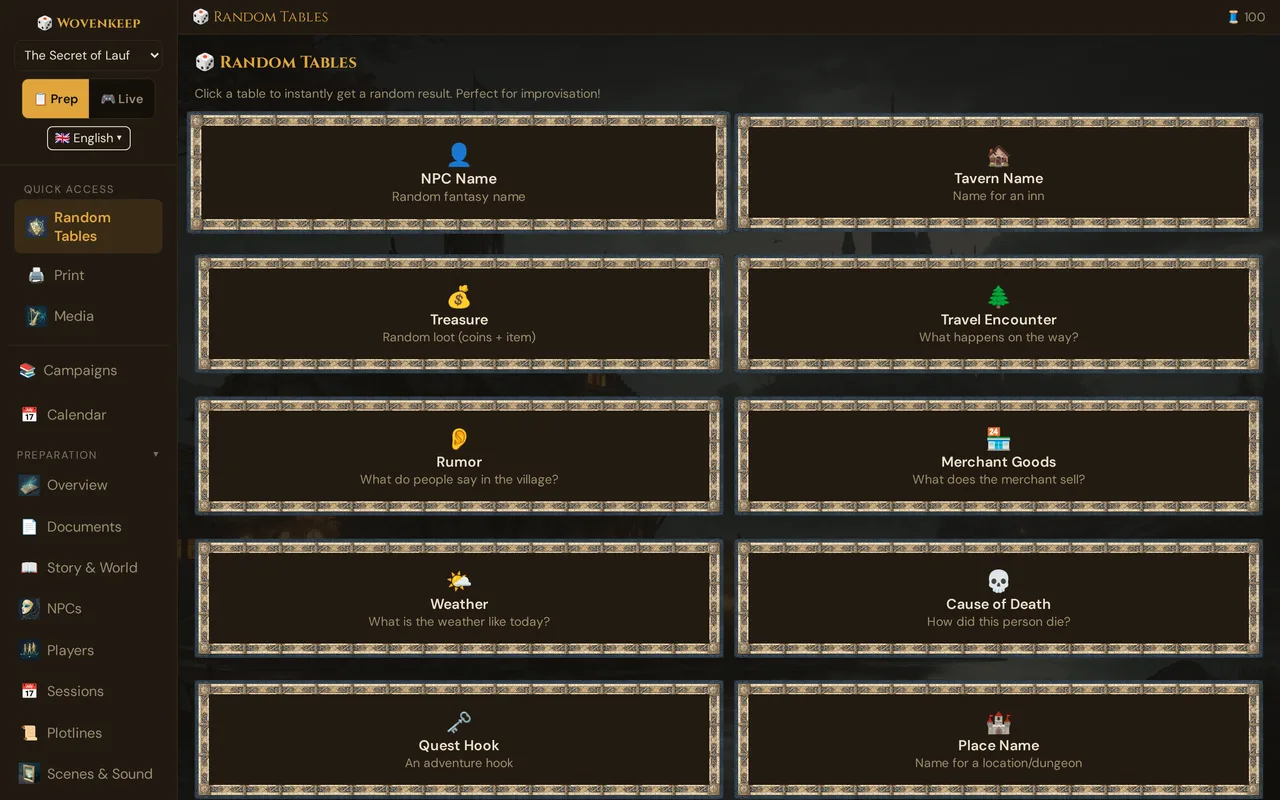
When players go off-script — and they always do — random tables save the session. Wovenkeep ships ten oracle tables: one click rolls a result instantly, no prep required. And you can add your own tables to each campaign — typed in or pasted straight from an adventure — and roll them in prep and live.
What it does
Each table is a curated list of short results. You click a card, Wovenkeep picks one at random, and it appears on screen with two buttons: 🎲 Roll Again to re-roll the same table, and 📋 Copy to copy the result to your clipboard for pasting into a note or chat.
No dice, no lookup, no page-flipping. Below the ten cards you find your own tables for the campaign (see Your own tables), and during a session the card 🎲 Random table rolls any of them live (see Rolling live).
All tables are free on every plan and cost no Threads — they are random picks, not AI generation.
When to use it
- You need a name for the bartender the players just decided to befriend
- Players take an unexpected route and you need an encounter on the spot
- The crime scene needs a cause of death you didn't plan
- You want to seed rumors at the start of a town scene
- You need a dungeon name for the map the party just found
Step by step
- Open the GM tool in your Realm (
yourname.wovenkeep.com/gm). - In the left sidebar, click 🎲 Random Tables (under Create). During a live session you don't need to switch: use the card 🎲 Random table in 🎬 Scenes & Sound (see Rolling live).
- The page shows a grid of ten cards — one per table.
- Click any card. The result appears below the grid instantly.
- Click 🎲 Roll Again to get a different result from the same table, or 📋 Copy to copy the result text to your clipboard.
💡 Tip: Roll five NPC names and five location names before the session and jot them in your notes. When a player surprises you mid-scene, you have a name ready without clicking.
The ten tables
| Table | Icon | What it returns |
|---|---|---|
| NPC Name | 👤 | A random fantasy name (for the bartender you didn't plan) |
| Tavern Name | 🏚️ | A name for an inn — e.g. "The Golden Griffin" |
| Treasure | 💰 | Random loot: coins plus an item |
| Travel Encounter | 🌲 | What happens on the road |
| Rumor | 👂 | What people are whispering about in town |
| Merchant Goods | 🏪 | What this shop has in stock |
| Weather | 🌤️ | Today's weather |
| Cause of Death | 💀 | How this person or corpse died |
| Quest Hook | 🗝️ | An adventure seed |
| Place Name | 🏰 | A name for a location or dungeon |
What the result looks like
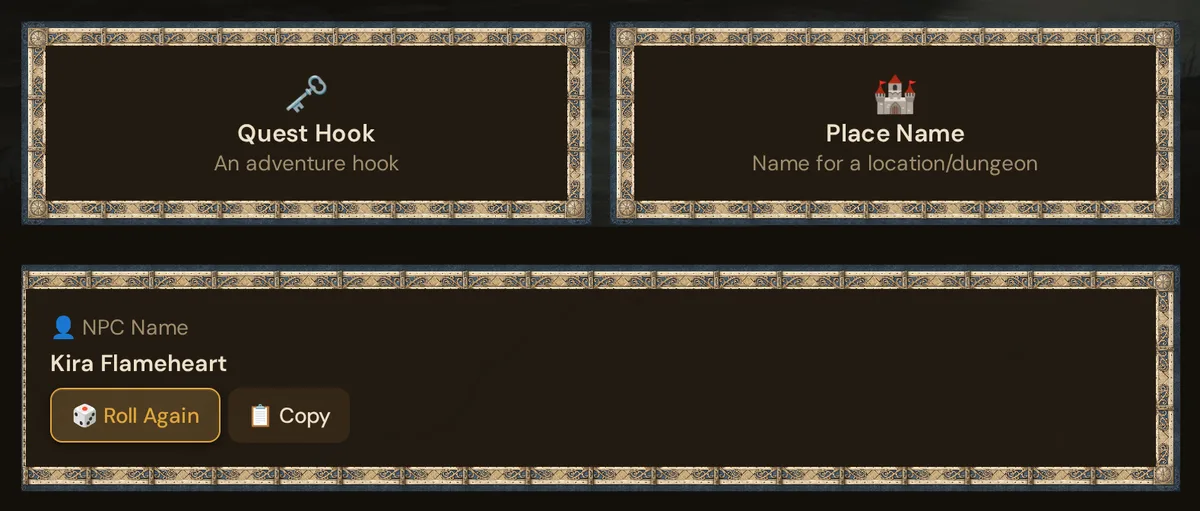
The 📋 Copy button copies the result text to your clipboard — useful for pasting straight into a scene description or a player message.
Using them in play
The classic mid-session scenario:
Player: "I want to talk to the bartender."
You (who never named the bartender): [click NPC Name → "Greta Stormwind"] "Greta Stormwind sets down a mug and squints at you. 'Help ye with somethin'?'"
Three seconds. The illusion that you planned this bartender all along is preserved.
Other common patterns:
- Travel Encounter when the party takes an unexpected route — roll, improvise the result into a scene
- Rumor when players ask around town — roll 2–3 times, deliver the most interesting one
- Treasure when they loot a body you didn't stat — roll, hand it over (or push it via Give Item)
- Weather at the start of an outdoor session — roll once, set the scene
- Cause of Death at a crime scene — roll, let it complicate the mystery
- Combine tables for instant scenes: "You enter [Place Name: Shadowrift]. [Weather: Thick fog, visibility under 30 feet] fills the entrance. A [NPC Name: Norbert Silvertongue] is already inside, and he has a [Rumor: The old bridge is cursed]." Four clicks, an instant scene.
Your own tables
Below the ten cards, Your tables for this campaign holds the tables you build yourself — a d12 of road encounters, the rumours of your port town, a d100 wild-magic table from an adventure. They belong to the campaign you have open.
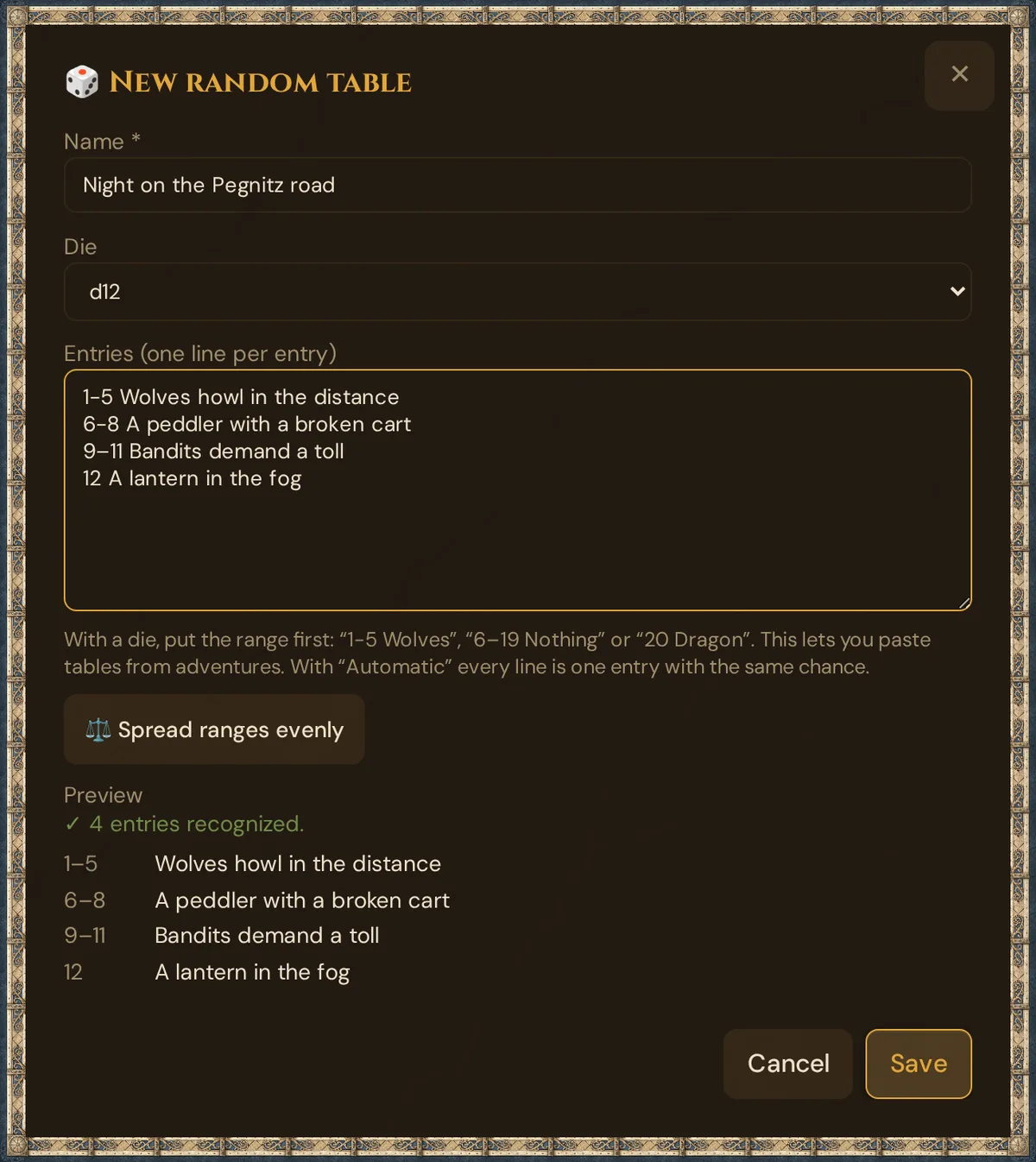
- Click + Own table. The window 🎲 New random table opens.
- Type a Name.
- Choose the Die: Automatic or d4, d6, d8, d10, d12, d20, d100.
- Write the Entries (one line per entry) — or paste a table from an adventure.
- Check the Preview: it shows every entry with its range, or what is wrong.
- Click Save. The table appears as a card with 🎲, its name, the die and the number of entries.
Click the card to roll. ✏️ edits the table, 🗑 deletes it after a question — for good, there is no trash.
How the lines work
- With a die, every line starts with its range:
1-5 Wolves,6–19 Nothing happens,20 A dragon. Between the numbers you can use-,–or—, or one of the wordsto,bis,àorawith a space before and after it (in lower case, in every interface language):1 to 5 Wolves. After the range comes a space, a tab or one of:.)|. With d100,00stands for 100. A wider range comes up more often. - With Automatic, every line is one entry with the same chance. Numbers at the start are part of the text.
- ⚖️ Spread ranges evenly gives lines without ranges equal ranges. It appears when the die is divided evenly by the number of lines — for a d20, with 1, 2, 4, 5, 10 or 20 lines — and replaces existing ranges.
- Gaps are allowed: a d20 table may cover only 1–15. The preview points them out — 🕳️ Not covered: 16–20 — and you can still save. Rolling a number without an entry shows No entry at 17 and 🎲 Reroll.
- Errors show in the preview, with the line in red — for example Line 2 overlaps with line 1. or With a die every line needs a range from 1 to 20, e.g. “1-5 Wolves”. Or use “Spread ranges evenly”.
- Limits: a name of up to 80 characters, up to 100 entries, up to 300 characters per entry.
💡 Tip: Write the word between the numbers in lower case:
1 To 5 Wolvesis read as the single number 1 with the text To 5 Wolves. The preview shows it — check the range column before you save.
Rolling in prep
The result appears below the cards: with a die as 🎲 d12: 2 → Wolves howl in the distance, with Automatic as the entry and Entry 3 of 7. 🎲 Roll Again rolls the same table again, 📋 Copy copies the line.
Your tables are stored as you typed them — they are not translated when you switch the language. When you duplicate the campaign, the copy gets them too.
Rolling live
During a running session, the card 🎲 Random table in 🎮 Live → 🎬 Scenes & Sound rolls any table without leaving the live view:
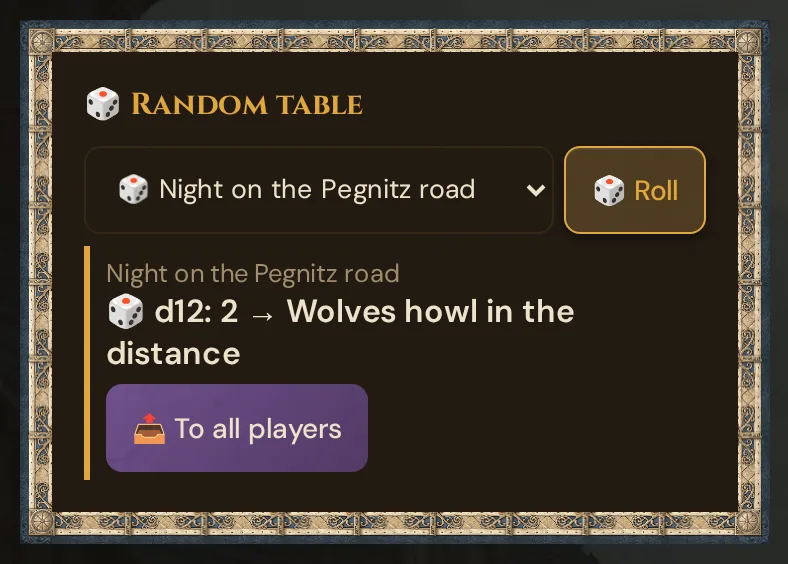
- Choose a table — Built-in tables or Your tables.
- Click 🎲 Roll. The result appears in the card and in the 📋 Log.
- If you like, click 📤 To all players: every player gets the result as a document with the table's name as title and the entry as text — on the phone as 📜 New Document: … – tap to read. The button then reads ✓ sent until your next roll, so a result goes out only once. If sending fails, the button works again and the 📋 Log says ⚠️ Sending failed: ….
On a gap the card offers 🎲 Reroll instead.
Troubleshooting
| Symptom | Cause | Fix |
|---|---|---|
| Clicking a card does nothing | JavaScript blocked or slow connection | Reload the page; check your browser console for errors |
| 📋 Copy button stays highlighted as "Copied!" | Browser clipboard API succeeded | Normal — the button resets on the next roll |
| Result area stays blank after clicking | Very rare race condition on first load | Click another card, then return to the intended table |
| Your tables for this campaign is missing | No campaign is open | Open a campaign — own tables belong to a campaign |
| Line … overlaps with line … | Two ranges share numbers | Fix one of the ranges so they don't overlap |
| With a die every line needs a range … | A die is chosen, but the lines have no ranges | Add ranges, choose Automatic, or use ⚖️ Spread ranges evenly if it is shown |
| No entry at … when rolling | The table has a gap there | Click 🎲 Reroll, or close the gap with ✏️ |
| 💡 The lines start with ranges. Choose a die so they count. | Automatic is chosen, but the lines start with ranges | Choose the matching die |
| No 📤 To all players button | The roll hit a gap | Click 🎲 Reroll |
| ✓ sent instead of 📤 To all players | This result was already sent | Roll again for a new result |
For more detailed drafts there is the optional AI help.
Related articles
- ⚒️ Suggestions: items, monsters, images, sound — more detailed suggestions for items, monsters, and more
- 📡 Running a live session — where random tables shine most
- 📕 SRD Rulebook — the other instant-reference tool (3,761 openly licensed entries)
- 🎲 Whisper & dice — rolling dice live
- 📜 Handouts — what players see when you send a result