💾 Autosave — you never have to click "Save"
👤 For: Everyone · 💳 Plan: All plans · 🔄 Updated 2026-10-17
Wovenkeep saves your work as you go. There's almost no Save button anywhere — you type, and a moment later it's safely stored.
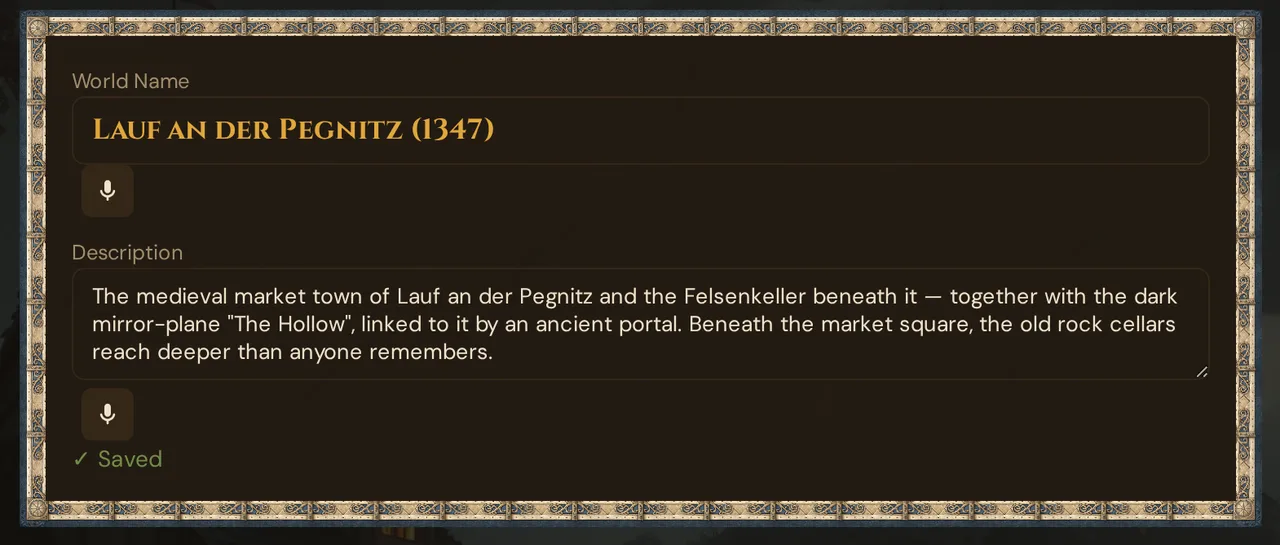
What it does
Each field saves itself independently. The moment you stop typing in a field for about a second, that field is saved to the server. The next field saves on its own when you stop typing in it. There's no "Save all" to remember, and no risk of losing an hour of work to a missed click.
When to use it
Always — it runs automatically in the background. You don't turn it on or configure anything. Just write, and Wovenkeep handles the rest.
Status indicators
Next to whatever you're editing, a small label keeps you informed:
( nothing )        →   no unsaved changes
⋯ Typing…          →   you're still typing; save will start shortly
⋯ Saving…          →   request is in flight right now
✓ Saved            →   stored (fades after 2 seconds)
⚠ Error (HTTP …)   →   server returned an error (see Troubleshooting)
⚠ Network error    →   connection dropped mid-save (see Troubleshooting)
Two more messages can appear in some editors:
- ⚠ Please enter a title — a required field such as a scene's title is empty; nothing is saved until you fill it in.
- ⚠ Changed in another window: … with Use theirs and Save mine — only when you edit a scene that was changed elsewhere in the meantime (see Editing on two devices at once).
When you see ✓ Saved, it's safely stored. You can close the page, switch devices, or walk away. And if you reload, close the tab, switch tabs or minimise the window right after typing, Wovenkeep sends what you just typed at once. If a save is still on its way at that moment, the browser asks before leaving the page. There is no local draft and no "restore" offer — what didn't reach the server is gone.
Where autosave works
| What you're editing | When it saves |
|---|---|
| Any text field (name, description, story…) | About a second after you stop typing |
| Dropdowns, checkboxes, on/off switches | The instant you change them |
| Numbers and dates | The instant you change them |
| Uploaded files (images, sounds) | When the upload finishes |
Almost everywhere you edit is covered:
- Your campaign's story, world, and secrets
- NPCs (every field — personality, motivation, voice, secret)
- Player characters
- Scenes, sessions, plotlines, the Story Web
- Worlds and planes
- Settings, theme, Tantu (name & voice)
Exceptions — these still have a 💾 Save button
A few places require an explicit save step. They're the exception, not the rule:
- Building an encounter — click 💾 Save when the monster list is ready. In an encounter's ✏️ window, the type, linked scene, Auto-Start, monster list and trap or puzzle fields also need 💾 Save (name, description and sound prompt save automatically)
- Choosing an NPC portrait — click 💾 Save Portrait once you've picked one
- Publishing on the marketplace — always a deliberate, explicit step
If you see a 💾 Save button, that area saves the old-fashioned way. Everywhere else, just type.
Making something new is still one deliberate step
Autosave kicks in after something exists. Creating it is a quick two-step:
- Click + New NPC (or campaign, scene, etc.)
- Fill in the name and click Create
From that point on, the new item autosaves like everything else. This is intentional — Wovenkeep shouldn't create an NPC called "L" just because you typed slowly.
Editing on two devices at once
If you open the same thing on two devices (or two browser tabs) and edit both, the last save wins — there's no clever merging.
Exception: scenes. In ✏️ Edit Scene, Wovenkeep checks the title, chapter, description, base setting, overlay and GM secrets before saving. If one of them was changed in another tab or on another device since you opened the window, nothing is overwritten: the status line at the bottom shows ⚠ Changed in another window: … with the other value. Use theirs puts that value into your field (nothing is saved); Save mine saves your text over it. The picture and the sound of a scene, and all other editors, still follow "the last save wins".
The second device also doesn't refresh by itself. If you edit an NPC on your tablet, your laptop still shows the old version until you reload it.
The simple rule: edit on one device at a time. If you switch devices, reload the new one first so you're looking at the latest version.
Voice input
On supported browsers, text fields show a microphone button. Tap it to dictate instead of type — the speech is converted and pasted into the field, then autosaved like any other input.
Voice input is available in English (en-US) and German (de-DE).
💡 Tip: After dictating, glance at the save indicator. If it shows ✓ Saved, your words are stored. If voice input doesn't appear on a field, your browser may not support it — Chrome and Edge have the widest support.
If your internet drops mid-save
If your connection cuts out while something is saving, the indicator changes from ⋯ saving to ⚠ Network error.
When you're back online:
- Wovenkeep doesn't retry on its own. Your text is still on screen, just not stored yet.
- The easiest fix: make a tiny edit in that field (type a space, delete it). That triggers a fresh save attempt.
- Or reload the page — but any unsaved change will be lost, so nudge-to-save first if it matters.
Whenever you see ⚠ Network error, check your connection, then nudge the field.
If the connection to your Realm is gone completely, the GM tool shows the state it loaded last and the notice Offline – saved state. You can look things up, but changes aren't saved until you're back online — reload the page once the connection is back.
If you see "Error (HTTP …)" with internet working
This means the server responded but rejected the save. A few common causes:
| Symptom | Cause | Fix |
|---|---|---|
| ⚠ Error (HTTP 422) on a number field | Letters in a number-only field | Correct the value; it'll save immediately |
| ⚠ Error (HTTP 413) on a text field | Text is extremely long (tens of thousands of characters is fine; there is an upper limit) | Trim the content |
| ⚠ Error (HTTP 500) | Transient server hiccup | Reload the page and try again |
| Error repeating across multiple fields | Session expired | Reload — you'll be prompted to log in again |
If an error keeps happening after a reload, report it with the 🐛 button in the bottom-right corner.
Want to draft without it saving live?
There's no off-switch for autosave. If you want to draft privately first — slow connection, or not ready to commit — write in your own notes app, then paste into Wovenkeep when you're ready. It'll save a moment after you paste.
Why this matters
Most tools make you remember to save, and punish you when you forget. Wovenkeep doesn't. Write freely, get interrupted, come back — it's all there. It's a small thing that quietly removes a whole category of "oh no, did I lose that?" moments.
Related articles
- 👤 NPCs — the editor you'll use autosave with most
- 🖼️ Scene push — pushing a scene live is a deliberate click, not autosave
- 💾 Storage & files — uploads save differently (when the upload finishes)
- 🗺️ Getting started — first steps in Wovenkeep