📖 Story Coach
👤 For: Game Masters · 💳 Plan: All plans · 🧵 long text 4 · short 1 · 🔄 Updated 2026-10-14
Story Coach is optional AI help: Tantu reads your campaign notes and suggests probing questions, a plan for the next session, or read-aloud text. You decide what to keep. Every result is saved automatically and restored the next time you open the page.
What it does
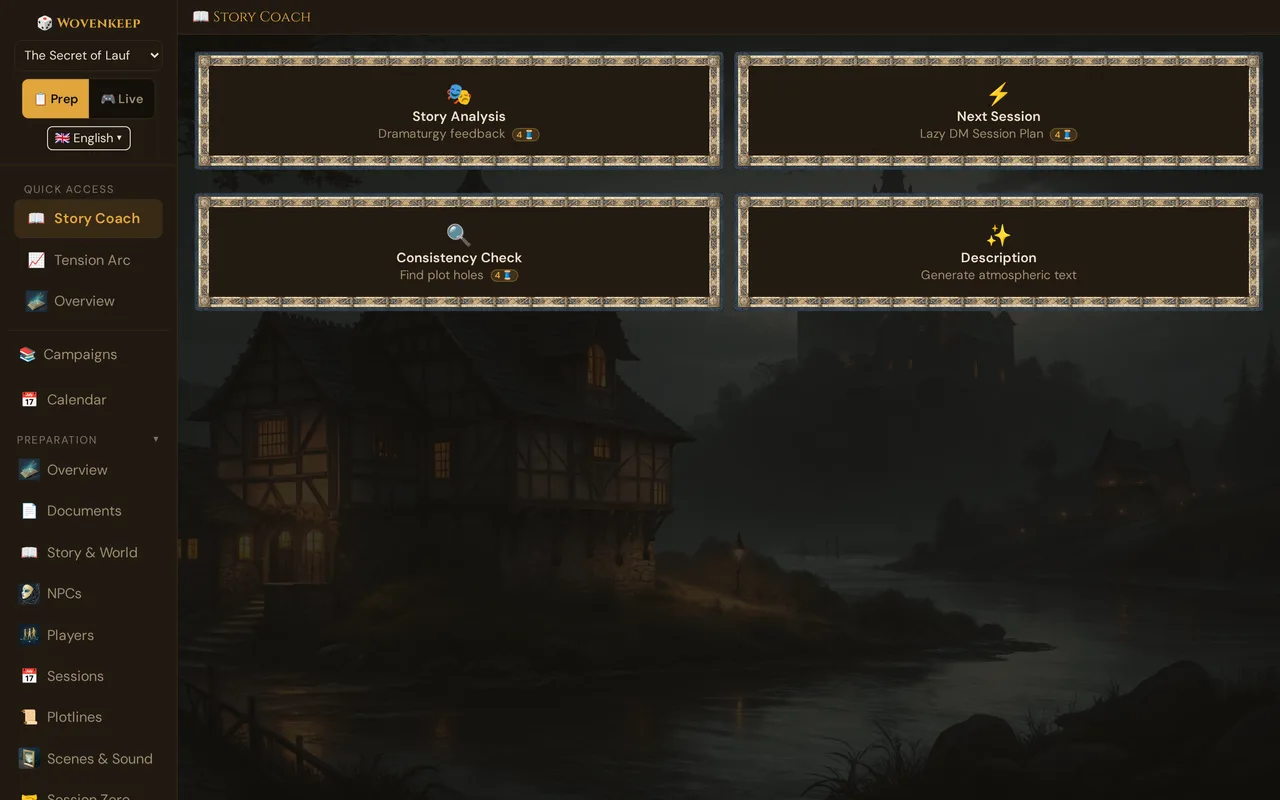
Four suggestions from Tantu, each reading a structured snapshot of your campaign and giving you back structured, actionable output:
- 🎭 Story Analysis — dramaturgy feedback on structure, pacing, and NPCs
- ⚡ Next Session — a Lazy-DM-style session plan ready to run
- 🔍 Consistency Check — finds contradictions and forgotten threads
- ✨ Description — atmospheric read-aloud prose for any scene you describe
Every result is persisted server-side. A version dropdown above the response panel lets you browse and restore any previous run — switching tabs never loses your output.
When to use it
- Before a session when prep feels thin — click ⚡ Next Session for a quick scaffold
- When a campaign has been running a while and something feels off — click 🎭 Story Analysis
- Before a major plot reveal — click 🔍 Consistency Check to make sure nothing contradicts it
- While writing a new scene — click ✨ Description for instant read-aloud text
Where to find it
Sidebar → 📖 Story Coach (under Story & Tantu).
The page opens with a 2×2 grid of click-cards, a version dropdown above the response area, and the last saved result already displayed.
The four buttons
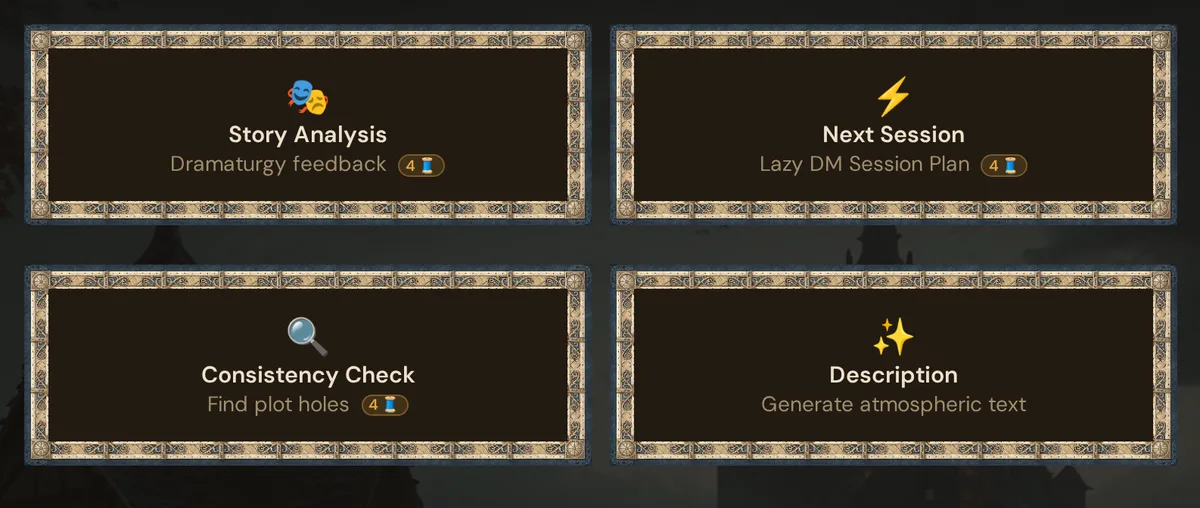
The three analysis cards each show their Thread price as a small 🧵 badge (0 🧵 when your own AI key is active). Click a card and a confirm dialog appears first — it shows the cost, your current balance, and your balance after the run, with a "Don't ask again this session" checkbox. Confirm, and the response renders in a panel below the grid.
🎭 Story Analysis
What it does: Reads your campaign snapshot — setting, tone, themes, NPCs, plotlines, and recent sessions; produces structural feedback organised around six questions.
Use it for:
- "Something feels off but I can't tell what" — get a second pair of eyes
- After a session that didn't land — see if the structure has issues
- Before introducing a new arc — verify the existing one is coherent
Sample output:
Your central conflict (the Order of the Black Sun recovering the medallion) is strong but lacks immediacy. The party has been pursuing it for three sessions, but the Order has not yet acted against them. Consider adding a session where the Order makes a direct move — an attempted kidnapping, an assassination, a public reveal. This creates the antagonist pressure that's currently missing.
Captain Morr is your strongest NPC (rich personality, clear arc, hidden depth). The Hooded Stranger is your weakest — they appear once with no motivation given. Either flesh them out or remove.
The personal plotline for Lena's character (rediscover her old order) is barely touched. Two sessions in, she has not yet faced a personal stake. Plan a scene where her past surfaces.
The analysis covers: three-act structure position, tension arc, plotline balance, NPC balance, player arcs, and a concrete suggestion for the next session. Tone matches the campaign tone set in your campaign settings.
⚡ Next Session
What it does: Suggests a Lazy-DM-style session plan: a strong opening scene, secrets to drop, possible scenes, key NPCs, and a cliffhanger.
Use it for:
- The night before a session when you need a quick scaffold
- When the previous session ended somewhere unexpected
- When you want a second opinion on what to include
Sample output:
⚡ STRONG OPENING SCENE
The party wakes in the inn to the smell of smoke. The hallway is full of
acrid black mist. Through the mist, the silhouette of a hooded figure
backing away down the stairs.

🔮 SECRETS & HINTS (2–3 to reveal)
1. The mist is sleeping gas. The hooded figure is Captain Morr in disguise.
2. The innkeeper, Berta, is a Black Sun informant. She left the door unlocked.
3. The medallion in Lena's pocket is warm to the touch — reacting to
   the Black Sun's proximity.

🎬 SCENES (3–5)
- The chase through the smoke-filled inn
- Confrontation in the stables (Morr cornered)
- Berta's confession (under interrogation)
- The medallion's reaction (mystery beat)
- Escape to the cliffside (if things go sideways)

👥 KEY NPCs (max 5)
- Captain Morr — first direct antagonist beat
- Berta the innkeeper — informant role revealed

🎭 CLIFFHANGER
Morr escapes into a mist that smells of iron. The medallion is gone.
The output is ready to paste directly into your session notes.
🔍 Consistency Check
What it does: Scans the campaign snapshot for contradictions: NPC details mentioned differently, plotlines that say one thing in one place but another in NPC secrets, timeline issues, forgotten threads, and neglected player arcs.
Use it for:
- Long campaigns (10+ sessions) where details drift
- Before a major plot reveal — make sure nothing contradicts it
- After a collaborator has been editing
Sample output:
2 inconsistencies found
Captain Morr's age. In the NPC editor, age is listed as 42. In Session 3's recap, you wrote "Morr's gray hair belies his eighty years of service to the Order." Resolve: pick one.
The Black Sun timeline. Story says the order disbanded "a hundred years ago." Captain Morr's secret says he was personally recruited by Lord Vaerin (who, per World, died 150 years ago). Resolve: either move Morr's recruitment earlier or change the disbandment date.
No contradictions found in: plotline status, NPC relationships, world geography, session continuity.
The check catches obvious contradictions. It's a useful prompt, not a guarantee — subtle inconsistencies may require a manual read.
✨ Description
What it does: Suggests atmospheric prose for a scene given a brief prompt.
Use it for:
- Filling in the Description field of a new scene
- Writing read-aloud text on the fly during prep
How it works:
- Click the ✨ Description card
- An input appears asking what to describe — e.g. Tavern, Dungeon, Throne Room
- Type what you want described (a location type works best)
- Click ✨ Generate (1 🧵 badge on the button; a confirm dialog appears before the run)
Tantu combines what you type with your campaign's setting and tone. Previous descriptions get their own version dropdown, and the last one is restored automatically when you reopen the card.
Sample output:
Crumbling stone columns rise into a dim vault overhead, their carvings worn into illegibility. The air tastes faintly of iron. From somewhere deeper in the structure — beneath, perhaps, or behind a wall you cannot see — comes a thread of chanting, so quiet you cannot tell whether it's voices or wind through cracks. Dust motes drift in the dim light from the broken roof, catching the last sun like still candle-flames.
Description uses a smaller context (just what you type plus your campaign's setting and tone) so it is fast and responsive.
Analysis versioning and auto-restore
Every result from any Story Coach button is saved server-side the moment it arrives. When you reopen Story Coach:
- The last saved result is automatically displayed — nothing is lost when you switch tabs or reload.
- A version dropdown above the response panel lists all previous runs by date and type. Select any version to restore it instantly.
- Versions accumulate without limit. Re-running a button creates a new version; older ones remain accessible.
How Tantu sees your campaign
When you click any of the three analysis cards, Tantu reads a structured snapshot of your campaign:
| What it reads | Used for |
|---|---|
| Campaign setting, tone & themes | Matching genre and voice |
| All your NPCs | Personalities, importance, descriptions, secrets |
| All your plotlines | Title, description, status, priority |
| The last 3 sessions | Title and recap (or strong start) |
| Your scenes | Titles and status |
| Player characters | Names, classes, levels |
| Session Zero preferences | Playstyle, length, boundaries |
It does not see:
- Anything happening in a live session (the current scene, an active poll, etc.)
- Player-side data (inventories, handouts)
- Raw content of AI keys
The long Story, World, and Secrets & Twists texts from Story & World feed the ✨ Ask Tantu story helpers (see below) rather than the Story Coach cards.
Quick story helpers in Story & World
Story Coach's little sibling lives in Story & World: below the Story, World, and Secrets & Twists fields sits a "✨ Ask Tantu: Develop the story" button. It opens the "✨ Tantu helps with your story" dialog with five one-click helpers, each costing 1 🧵 (short text):
- 📝 Expand story — more details and depth
- ⚔️ Suggest conflicts — what could go wrong?
- 🎭 Suggest plot twist — surprising turn
- 👤 Suggest NPC — who is missing?
- ⚡ Plan first session — how do I start?
Tantu works from your Story and World fields — the more you write there, the better the result. Your Secrets & Twists are never sent. Results are saved: a "Saved results" dropdown appears in the dialog once at least one result exists, and you can restore any earlier suggestion at any time.
Tantu's name & voice
The name and voice you set for Tantu in your campaign (in 🪶 Tantu: name & voice) apply to every Story Coach run. A campaign with a theatrical, dark voice gets dramatically styled output. A campaign set to academic style gets precise, rule-focused feedback. Tantu's name and personality are active on all four buttons.
Output language
Story Coach responds in the language you have set in Wovenkeep (German, English, French, or Spanish). Switch the language in your account settings; the next run uses the new language automatically.
What it costs
Story Coach works on every plan, including free — there is no feature gate. Each button click is a text suggestion and spends Threads:
| Action | Threads |
|---|---|
| Text — long | 4 |
| Text — short | 1 |
| With your own AI key | 0 🧵 (text actions run on your provider's billing) |
See Threads & costs for how to get Threads and how the bring-your-own-key path works.
Patterns
The bi-weekly tune-up: Click 🎭 Story Analysis every other session. The feedback shifts as the campaign evolves; you'll catch drift early.
The Sunday-evening planner: If you GM on Mondays, click ⚡ Next Session every Sunday. Edit the output, paste into the session's notes. 10 minutes of prep instead of 60.
The pre-reveal check: Before a major plot revelation, click 🔍 Consistency Check. Confirms nothing in your prior sessions accidentally contradicts what you're about to reveal.
The atmospheric helper: Open a new scene, fill in the title, click ✨ Description with the scene title as input. Paste the result into the scene's Description field. Edit to taste.
What Story Coach isn't
- Not a rules engine — it won't tell you "is this encounter balanced?" Use the Encounter builder for that.
- Not a finished writer — it produces useful drafts, not polished prose. Edit before showing players.
- Not a substitute for thinking — the analyses are starting points. The interesting decisions are still yours.
- Not psychic about the players — it doesn't know what your players actually said or did unless it's in session recaps. Write recaps to give Tantu better context.
Troubleshooting
| Symptom | Cause | Fix |
|---|---|---|
| A button reports insufficient balance | No Threads left | Top up or earn Threads; with your own AI key, text actions cost 0 🧵 |
| A red box says "Tantu is currently unavailable — please try again later." | The request failed or timed out | Try again in a moment; if you use your own AI key, check it under Settings → AI Keys |
| Version dropdown is empty | No analyses have been saved yet for this campaign | Run any button once; the dropdown populates after the first result |
| Output is in the wrong language | Language set in your account doesn't match expectation | Change the language in account settings and re-run |
| Output ignores my voice settings | No name or preset set for Tantu in this campaign | Set a name and preset in 🪶 Tantu: name & voice |
Related articles
- 📈 Tension Arc — visual companion to Story Analysis
- 🌱 Foreshadowing — the feature that complements Next-Session planning
- 🪶 Tantu: name & voice — set the name and tone Tantu uses in Story Coach
- 📜 Story & World — the source material Story Coach reads
- 🧵 Threads & costs — what Threads cost and how the bring-your-own-key path works